# Display Zero as Blank
## Content
SpreadJS, by default, displays zero values as "0" in the number type cells.
However, you can display zero values as blank by setting the **showZeros** option of the worksheet to **false**.
The following sample code shows how to use the showZeros option to display zero values as blank cells in a worksheet.
```javascript
sheet.options.showZeros = false;
// input "=1-1" in cell A1, the A1 cell display blank.
```
This option only impacts the display value of a cell and not the actual value. Hence, there is no change in any calculations or charts that involve zero-value cells.
On the contrary, the filter dialog uses display values and hence, shows blank when the showZeros option is set to false.
Similarly, in watermark cells, SpreadJS displays a watermark when a zero value is displayed as blank.
> Note: The following cases apply when showZeros option is false.
>
> * String "0" is not displayed as blank. Option is applicable to number type cells only.
> * Cell displays "0" if its value is not 0, but the format result is 0. For example, 0.01 with format #,##0.
> * The OADATE(0), that is, sheet.setValue(0,0,new Date(1899, 11, 30)); displays as blank.
> * Zero values display as it is when showFormulas is set to true.
## Using Designer
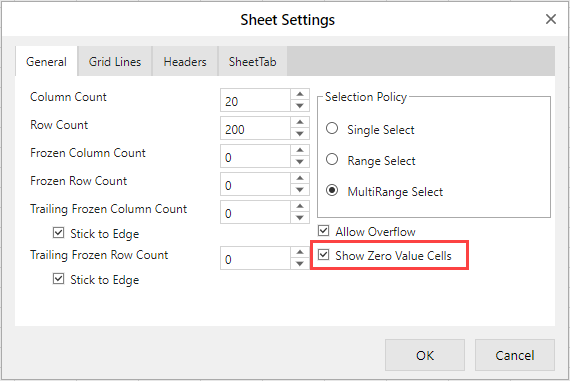
You can also enable this feature through the SpreadJS Designer by checking the "**Show Zero Value Cells**" checkbox in the **Sheet Settings** dialog.