# Pivot Table
## Content
Pivot Table is a powerful data analysis tool used to calculate, summarize, and present bulk data in a meaningful manner in a spreadsheet. SpreadJS allows you to use Pivot Tables to analyze the extensive data in spreadsheets, and group the data in different ways to draw helpful conclusions easily.
The following image shows a pivot table created for a food sales company.
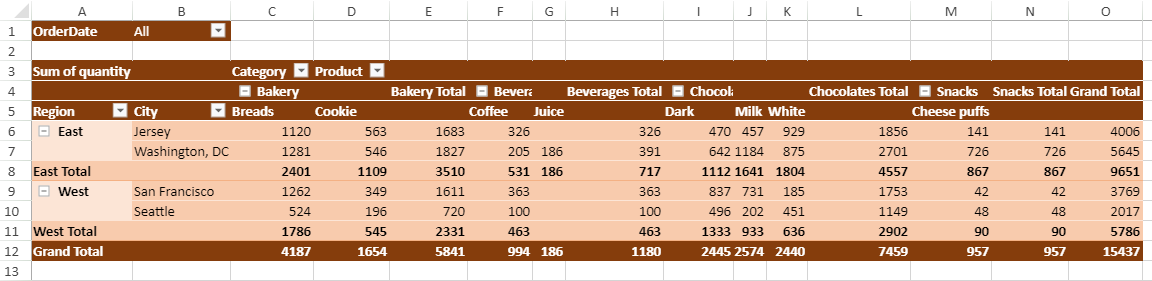
The data can be broken down into categories and subcategories, the subtotals and grand totals can be displayed, sorting and filtering operations can be applied, and various layouts, styles, and themes can be applied while using a pivot table. The following gif shows how to summarize complex data by using a pivot table in a spreadsheet.
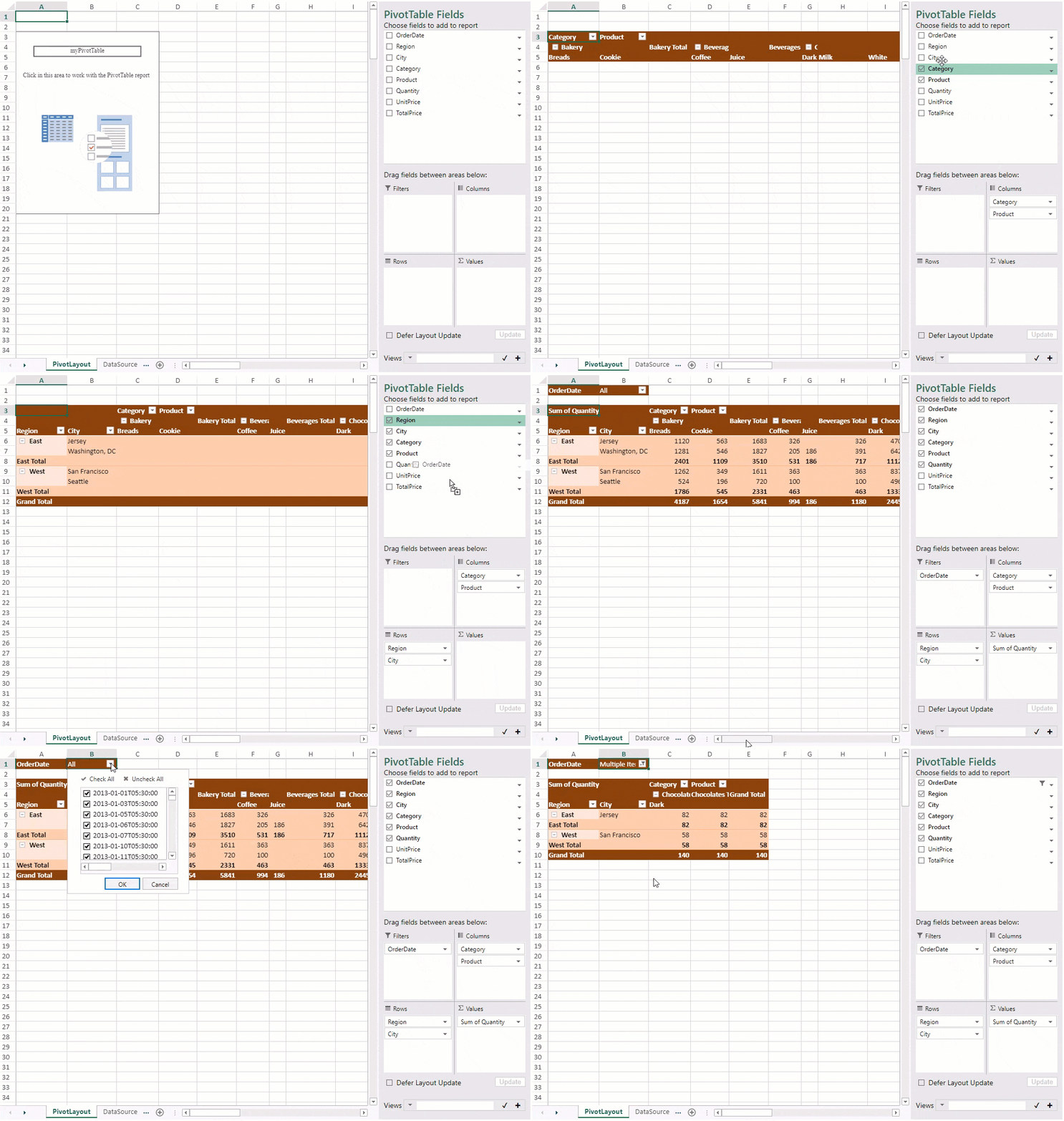
For using a pivot table and its various features, refer to the below topics:
| **Features** | **Description** |
| -------- | ----------- |
| [Pivot Table Components](/spreadjs/docs/v16/features/pivot-table/pivot-table-components) | Describe pivot table structure, components, and elements |
| [Create Pivot Table](/spreadjs/docs/v16/features/pivot-table/create-pivot-table) | Create Pivot Table in the spreadsheet through code |
| [Filter](/spreadjs/docs/v16/features/pivot-table/filter-pt) | Filter the fields in the pivot table by using:- Row Fields & ColumnFields Filter
- Value Filter
- Label Filter
- Date Type filter
- Slicer
- TimeLine
|
| [Sort](/spreadjs/docs/v16/features/pivot-table/sort-pt) | Sort the data in the pivot table |
| [Group and Collapse](/spreadjs/docs/v16/features/pivot-table/group-and-collapse) | Create groups according to the data type by using:- Group Dates
- Group Text
- Group Numbers
|
| [Data Settings](/spreadjs/docs/v16/features/pivot-table/refresh-data-source) | Describes how to reflect the data source update in the pivot table and edit data area values in the pivot table. |
| [Pivot Table Layout](/spreadjs/docs/v16/features/pivot-table/pivot-table-layout) | Change the layout of the pivot table:- Compact Form
- Tabular Form
- Outline Form
- Additional Settings
|
| [Themes and Style](/spreadjs/docs/v16/features/pivot-table/themes-and-style) | Change the theme and style of the pivot table: |
| [Context Menu](/spreadjs/docs/v16/features/pivot-table/context-menu) | Describe context menu options |
| [Pivot Table Settings](/spreadjs/docs/v16/features/pivot-table/pivot-table-settings) | Modify the settings of the pivot table created in a spreadsheet:- AutoFit Column
- Calculated Fields
- Conditional Rule
- Merge and Center Cells With Labels
- Pivot Table ToolTip
- Pivot Table Serialize/Deserialize
- Show Empty Value As
- Pivot Table Show Data As
|
| [Pivot View Manager](/spreadjs/docs/v16/features/pivot-table/pivot-view-manager) | Add, modify and delete Pivot Table views |
| [Pivot Table Print](/spreadjs/docs/v16/features/pivot-table/pivot-table-print) | Print pivot table |