# QUERY
## Content
This function returns data from data manager tables in a worksheet.
## Syntax
`QUERY(tableAndRows, columns)`
## Arguments
This function has these arguments:
| Argument | Description |
| -------- | ----------- |
| tableAndRows | The data table name or data table row. |
| columns | [Optional] The field name. |
## Data types
Accepts string data.
Returns the following types of data:
| Return Types | Examples |
| ------------ | -------- |
| The whole table | `QUERY("table1")` |
| The whole column | `QUERY("table1", "column1")` |
| The data | `QUERY("table1#1", "column1")`
`QUERY("customer/abc@gmail.com", "name)` |
| The certain row | `QUERY("table1#1")`
`QUERY("customer/abc@gmail.com")` |
## Remarks
Users can use the following simple row filters:
| Type | Examples |
| ---- | -------- |
| By row index | `QUERY("table1#1")` |
| By row primary key | `QUERY("customer/abc@gmail.com")` |
| By key-value filter | `QUERY("order?status=success")` |
Users can select many columns by the use of array.
| Type | Examples |
| ---- | -------- |
| By column array | `QUERY("order?status=shipping", {"order date", "address", "Cargo weight"})` |
| By one dimension reference | `QUERY("order?status=shipping", A1:D1)` |
## Example
The following GIF illustrates the use of the QUERY function to show item information according to the tax rate.
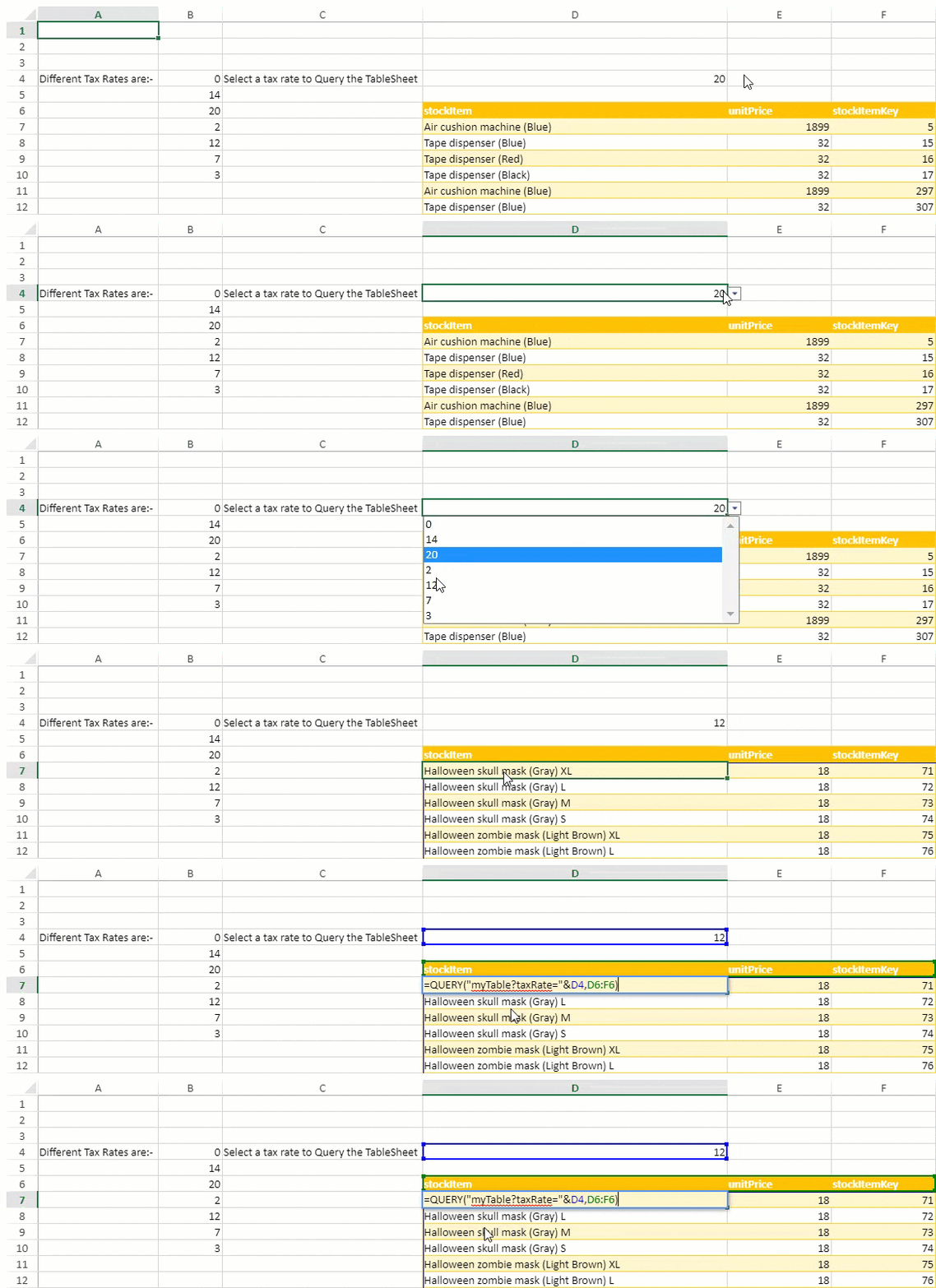
The following code sample shows how to implement the QUERY function in a worksheet.
```JavaScript
// Create a new sheet
var sheet1 = new GC.Spread.Sheets.Worksheet();
sheet1.name("TS Reference in Formula");
spread.addSheet(0, sheet1);
spread.options.allowDynamicArray = true;
// unique tax rates
sheet1.setValue(3, 0, 'Different Tax Rates are:-')
sheet1.setFormula(3, 1, '=UNIQUE(TableSheet1[Tax Rate])'); // it returns a dynamic array and we have already set allowDynamicArray to true initially
// set a datavalidator of unique values
var dv = GC.Spread.Sheets.DataValidation.createFormulaListValidator('=$B$4#');
sheet1.setDataValidator(3, 3, dv);
// set value in cell from datavalidator
sheet1.setValue(3, 3, 20);
// apply tableStyle for a range
applyTableStyleForRange(sheet1, 5, 3, 400, 3);
sheet1.setValue(3, 2, 'Select a tax rate to Query the TableSheet')
sheet1.setArray(5, 3, [["stockItem", "unitPrice", "stockItemKey"]]);
// apply QUERY function
sheet1.setFormula(6, 3, '=QUERY("myTable?taxRate="&D4, D6:F6)');
```