# TypeScript
## Content
You can add TypeScript support to SpreadJS. TypeScript provides strongly-typed access and better information about your code.
You can download TypeScript and get additional information from the TypeScript web site, [https://www.typescriptlang.org/](https://www.typescriptlang.org/)
The TypeScript definition file for SpreadJS is located in the definition folder under the main product folder (`SpreadJS\definition\GC.Spread.Sheets.d.ts`).
Use the following steps to add TypeScript support to SpreadJS.
1. Add GC.Spread.Sheets.d.ts and jquery.d.ts references to your typescript file.
```
///
///
```
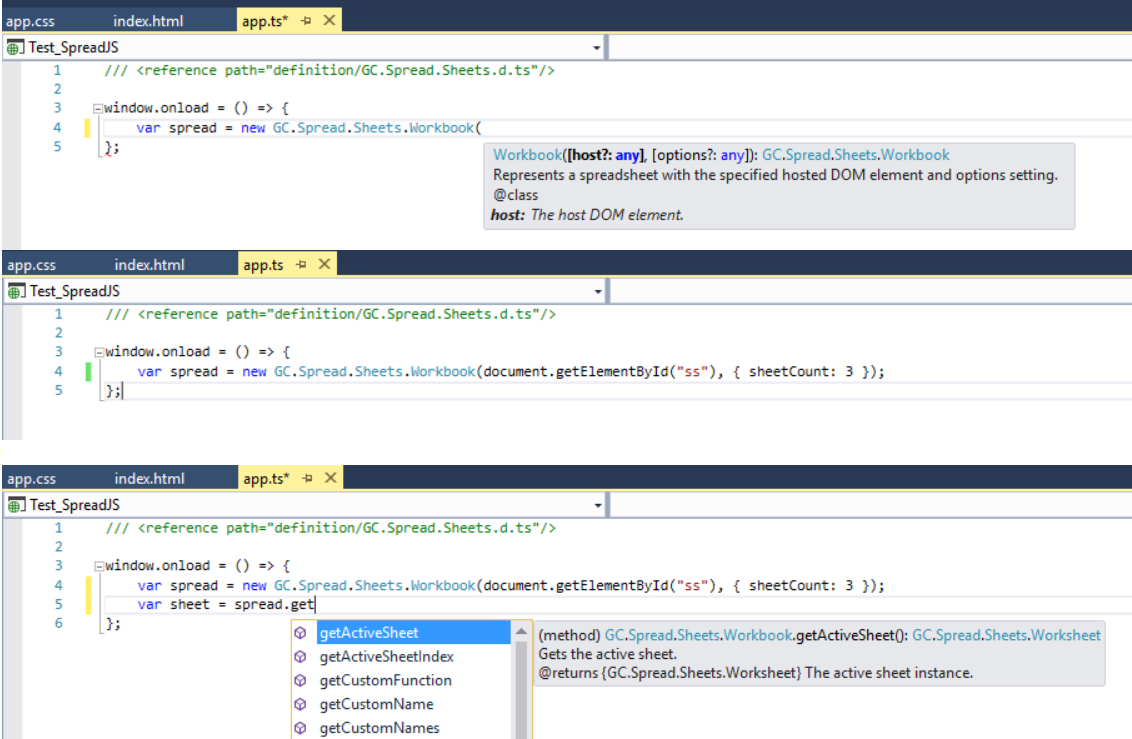
2. Add code to your application. Information about SpreadJS is displayed as in the following examples.