# Text on Shapes

## Content

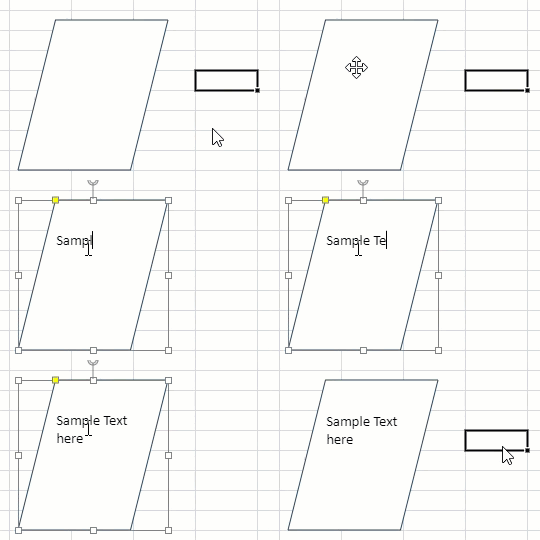
SpreadJS allows you to add and edit the text in shapes by using one of the following ways:

* When the **isTextBox** is set to false (default value), then you need to "double click the shape" or "press Enter key".
* When the **isTextBox** is set to true, then you need to select the shape or single click the shape.
* Right-clicking the shape and selecting 'Edit Text' from the context menu.

As you add or edit text in a shape, the text editor disappears when you click anywhere outside the shape. However, shapes do not support selection of text when not in editing state. Moreover, while dragging a shape’s corners for resizing, only the horizontal changes are reflected.
![](https://gcdocumentsitekrblob.blob.core.windows.net/document-site-files/images/8d606653-16a0-474d-b9dc-e2b4d01c2446/images/text-edit.gif)
<span style="margin: 0px; padding: 0px; user-select: text; -webkit-user-drag: none; -webkit-tap-highlight-color: transparent;" class="NormalTextRun SCXW216547139 BCX8">You can also add and edit the text in shapes by clicking or selecting the shape, when the </span>**<span style="margin: 0px; padding: 0px; user-select: text; -webkit-user-drag: none; -webkit-tap-highlight-color: transparent;" class="NormalTextRun SCXW216547139 BCX8">isTextBox</span>**<span style="margin: 0px; padding: 0px; user-select: text; -webkit-user-drag: none; -webkit-tap-highlight-color: transparent;" class="NormalTextRun SCXW216547139 BCX8"> property is set to 'true'.</span>

```javascript
//To add text to the shape isTextBox property is set to true. 
shape.isTextBox(true);
```

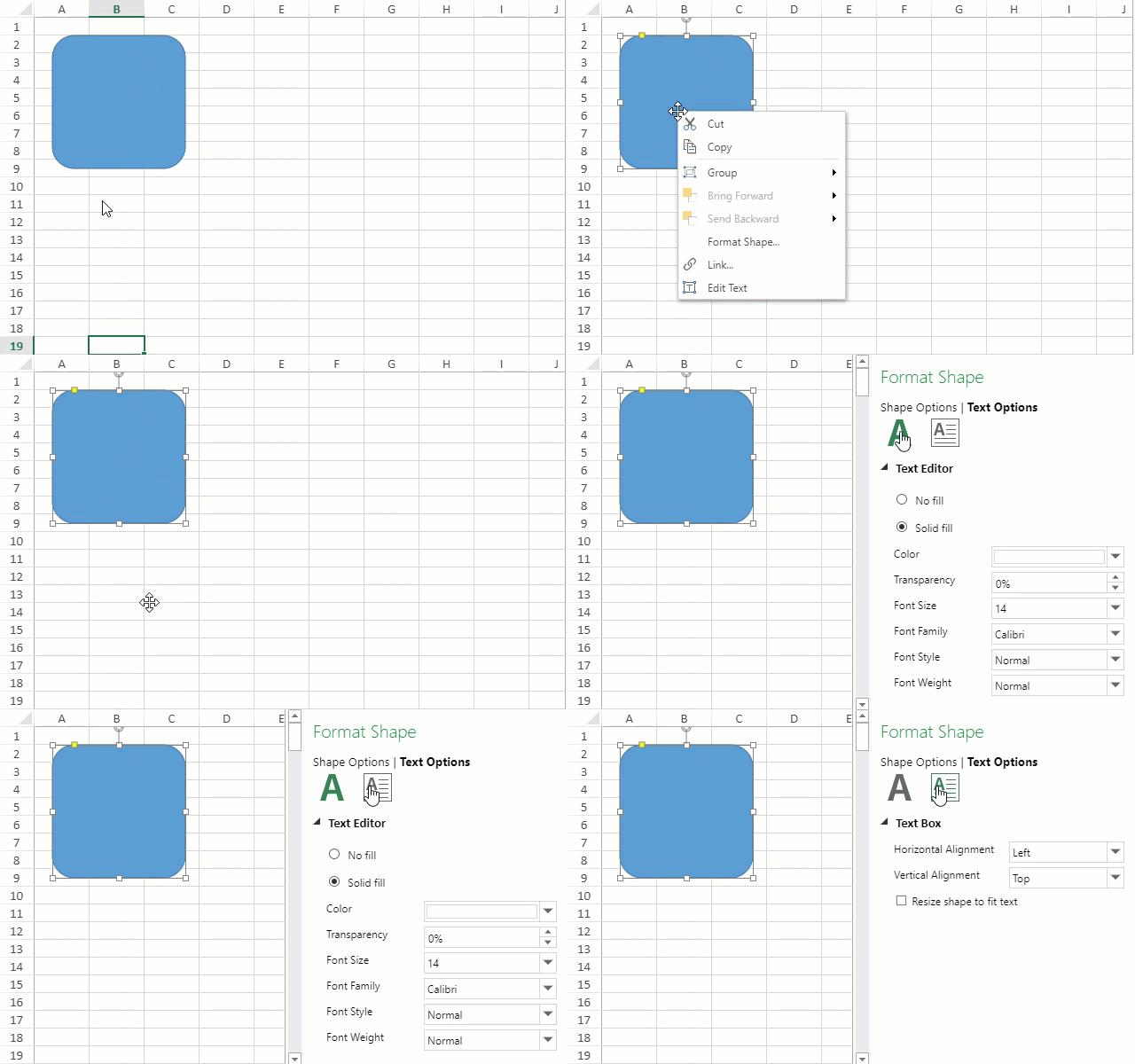
When a shape is double-clicked, the text formatting options appear along with the text editor. It includes all the simple text formatting features, alignment, and other text options. However, rich text is not supported.
![formatshapedialog](https://gcdocumentsitekrblob.blob.core.windows.net/document-site-files/images/df1fe1ee-eb3c-4da7-8c20-a0d8d2b7e734/formatshapedialog.2d4c8a.gif?width=400)

## Use Case Scenario

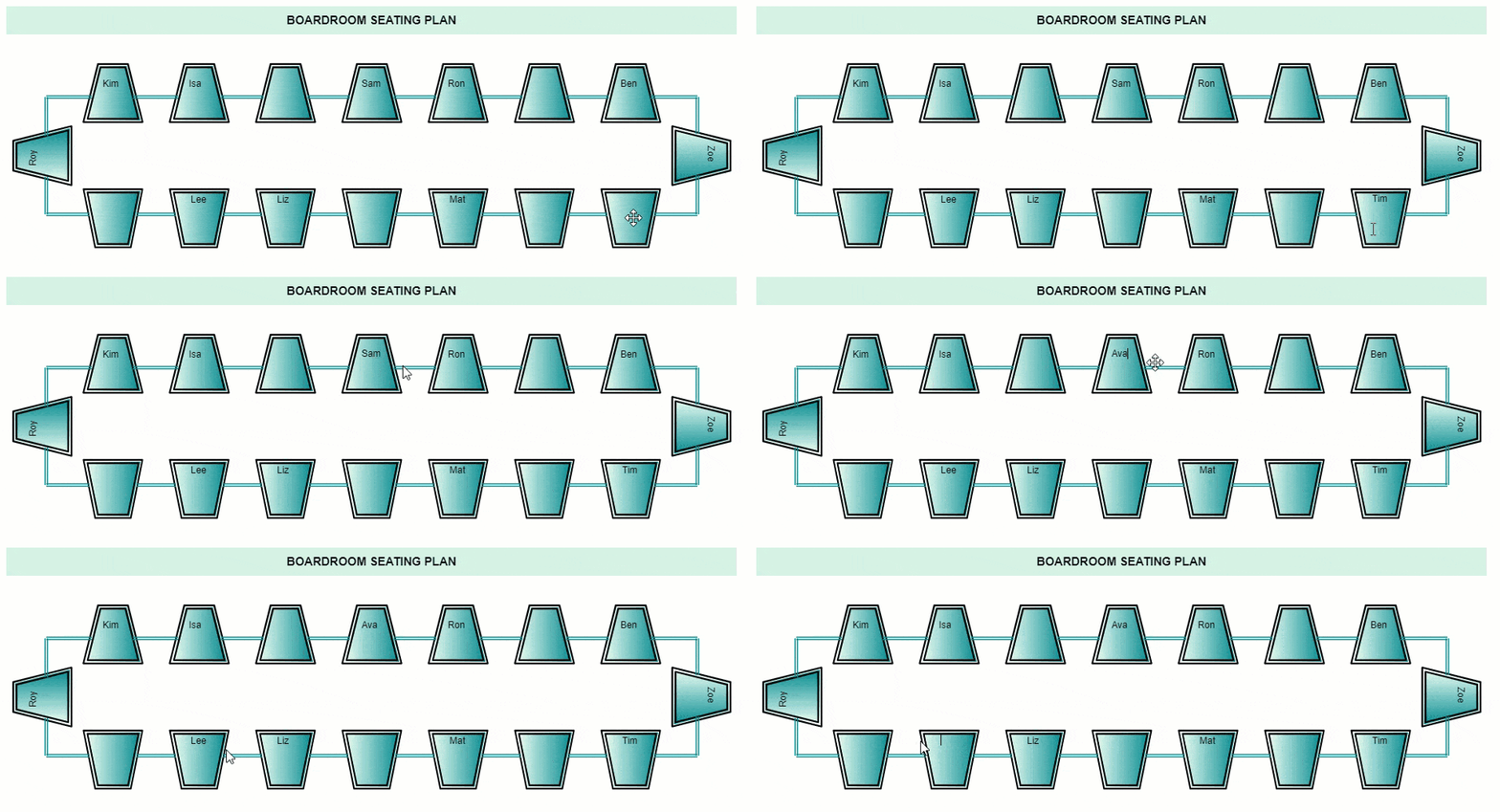
This use case considers a scenario of a boardroom seating plan for a meeting. The meeting is to be attended by some important group of people and hence their seating arrangement is planned well in advance. The seats are represented by using auto shapes and the names of members are mentioned by using text on shapes. In case of any changes, these names can be added, edited, or removed as well.
![](https://gcdocumentsitekrblob.blob.core.windows.net/document-site-files/images/8d606653-16a0-474d-b9dc-e2b4d01c2446/images/boardroom-usecase.gif?width=700)

## Behavior of Shape Text

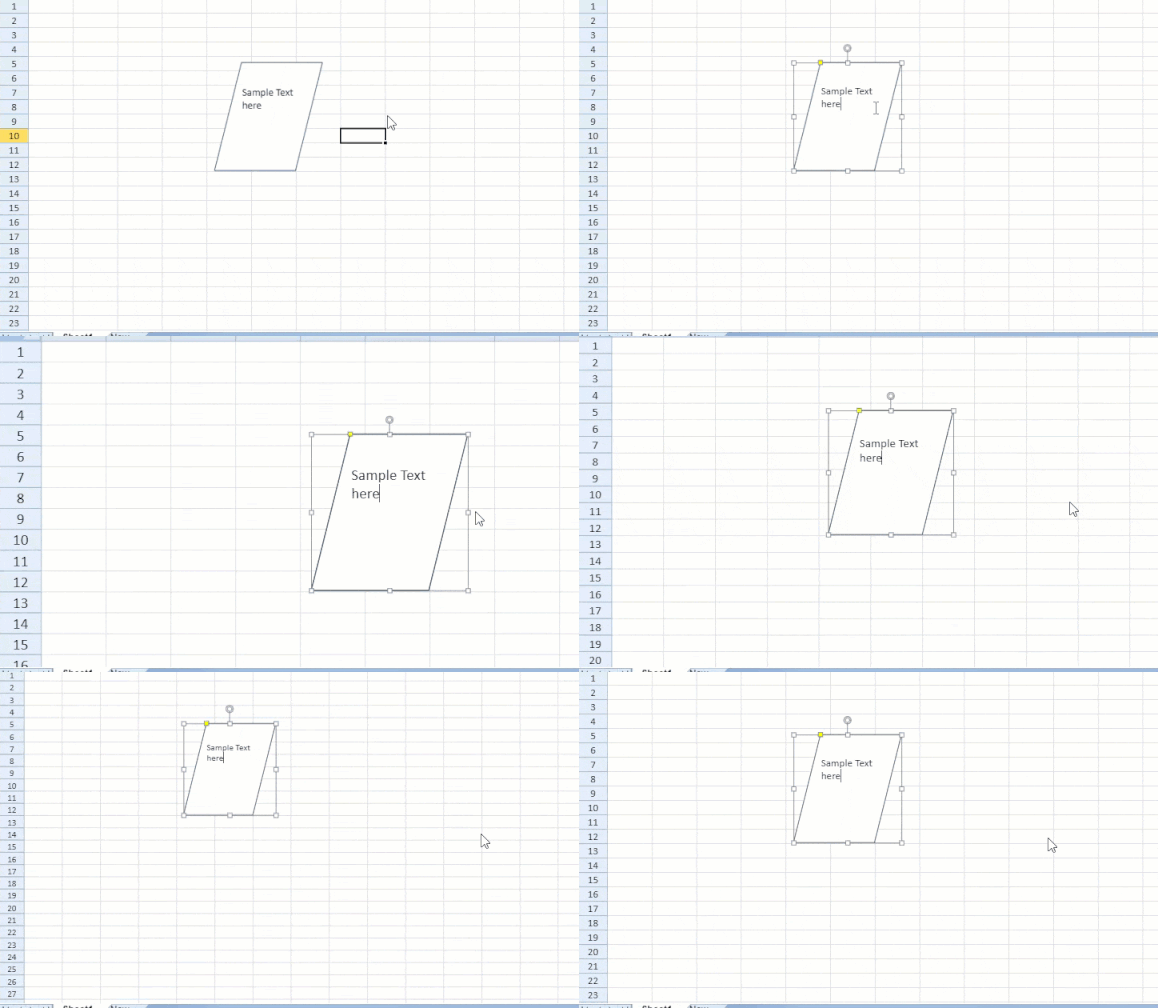
The text editor and text follow the behavior of shape. For example, when the zoom action is performed on a sheet, the text editor and the text is resized and relocated as well.
![](https://gcdocumentsitekrblob.blob.core.windows.net/document-site-files/images/8d606653-16a0-474d-b9dc-e2b4d01c2446/images/text-edit-zoom.gif?width=400)

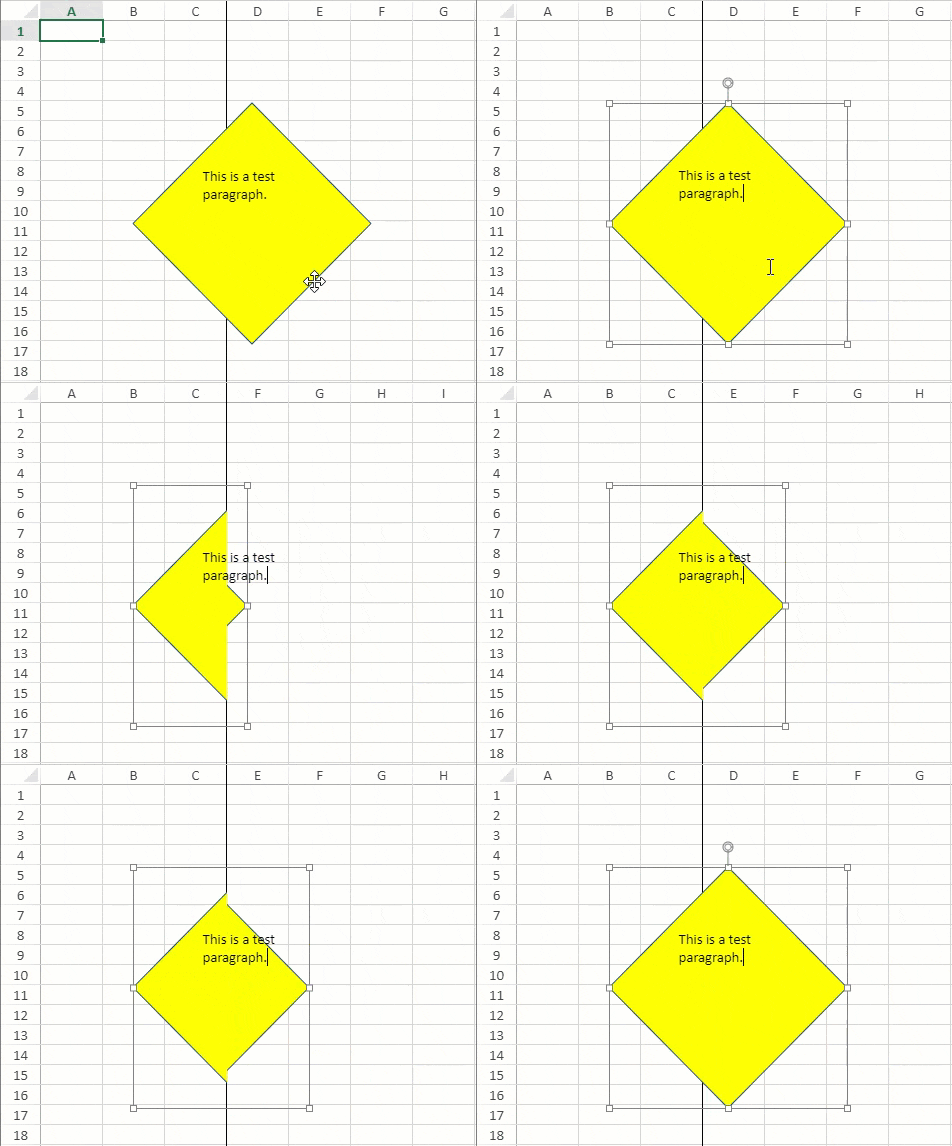
With frozen rows or columns, the shape is folded over when scrolled. However, the text is not affected and remains in the same place.
![](https://gcdocumentsitekrblob.blob.core.windows.net/document-site-files/images/8d606653-16a0-474d-b9dc-e2b4d01c2446/images/text-scroll.gif)

> **Note:** This behavior is different from Excel where the text and text editor both fold with the shape.

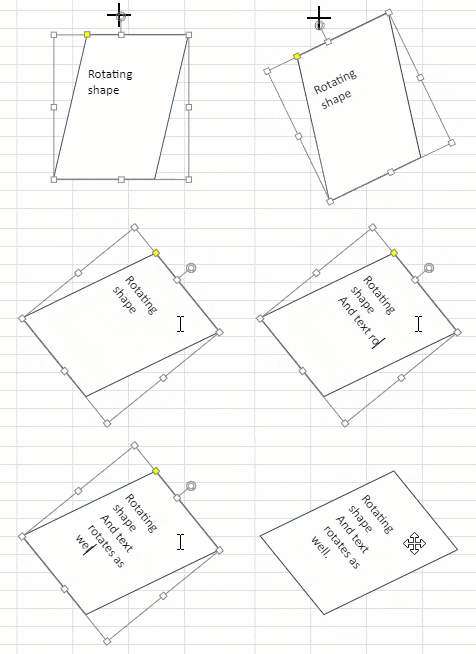
The text editor and text are rotated when a shape is rotated.
![](https://gcdocumentsitekrblob.blob.core.windows.net/document-site-files/images/8d606653-16a0-474d-b9dc-e2b4d01c2446/images/shape-rotate.gif)
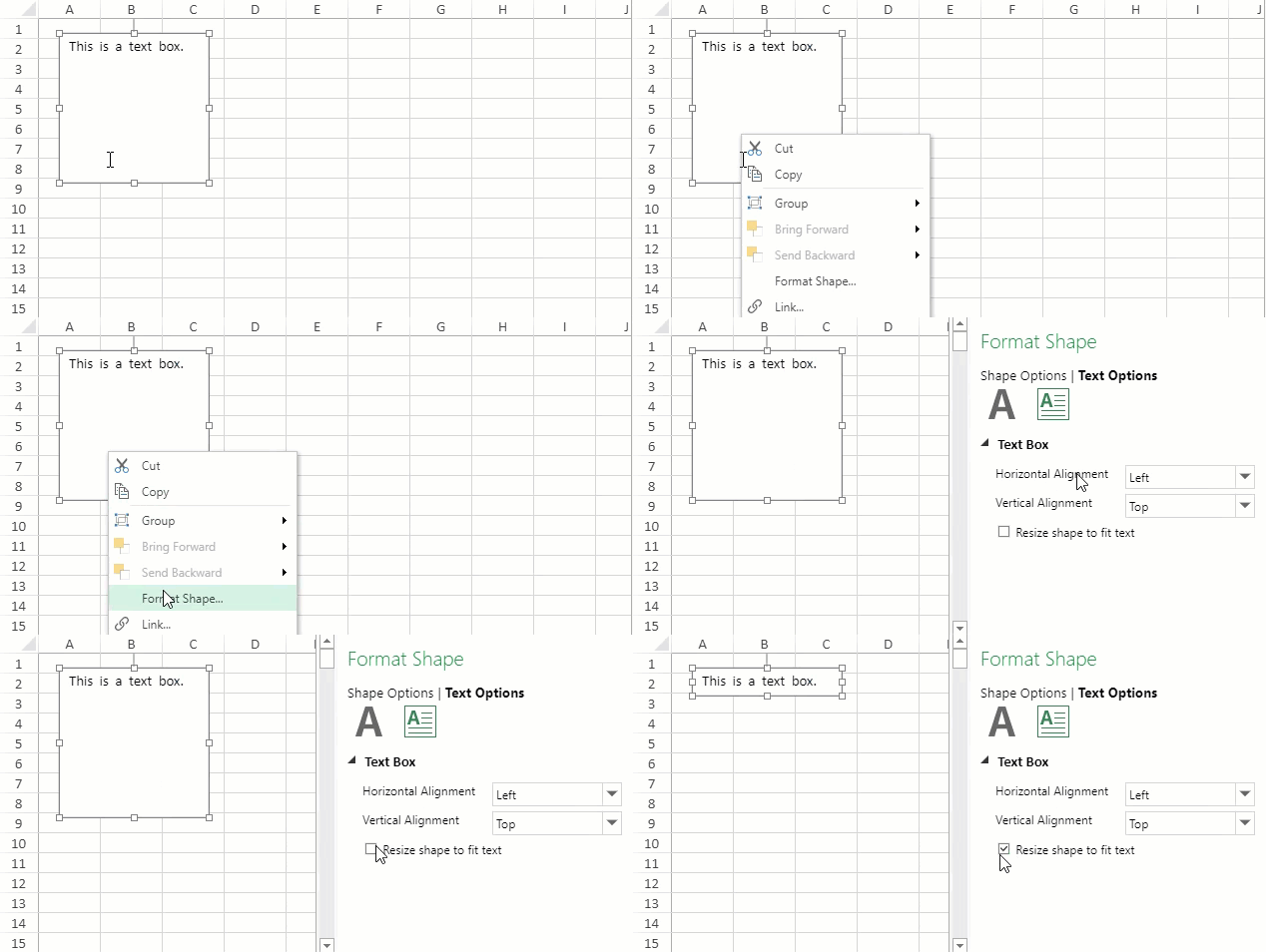
<span class="NormalTextRun SCXW215778801 BCX8" style="margin: 0px; padding: 0px; user-select: text; -webkit-user-drag: none; -webkit-tap-highlight-color: transparent;">The text editor also allows you to set the height of the shape according to the height of its content. </span><span class="EOP SCXW215778801 BCX8" data-ccp-props="{134233117:false,134233118:false,201341983:0,335551550:1,335551620:1,335559685:0,335559737:0,335559738:0,335559739:160,335559740:259}" style="margin: 0px; padding: 0px; user-select: text; -webkit-user-drag: none; -webkit-tap-highlight-color: transparent; color: rgb(0, 0, 0); font-style: normal; font-variant-ligatures: normal; font-variant-caps: normal; font-weight: 400; letter-spacing: normal; orphans: 2; text-align: left; text-indent: 0px; text-transform: none; white-space: pre-wrap; widows: 2; word-spacing: 0px; -webkit-text-stroke-width: 0px; background-color: rgb(255, 255, 255); text-decoration-thickness: initial; text-decoration-style: initial; text-decoration-color: initial; font-size: 11pt; line-height: 19.425px; font-family: Calibri, Calibri_EmbeddedFont, Calibri_MSFontService, sans-serif;"> </span>
![resizeshapetext](https://gcdocumentsitekrblob.blob.core.windows.net/document-site-files/images/df1fe1ee-eb3c-4da7-8c20-a0d8d2b7e734/resizeshapetext.89a293.gif?width=400)
<span style="margin: 0px; padding: 0px; user-select: text; -webkit-user-drag: none; -webkit-tap-highlight-color: transparent;" class="NormalTextRun SCXW247934610 BCX8">You can also resize the height of textbox shape as per its content by setting </span>**<span style="margin: 0px; padding: 0px; user-select: text; -webkit-user-drag: none; -webkit-tap-highlight-color: transparent; background-repeat: repeat-x; background-position: left bottom; background-image: var(--urlSpellingErrorV2, url(data:image/svg+xml;base64,PD94bWwgdmVyc2lvbj0iMS4wIiBlbmNvZGluZz0iVVRGLTgiPz4KPHN2ZyB3aWR0aD0iNXB4IiBoZWlnaHQ9IjRweCIgdmlld0JveD0iMCAwIDUgNCIgdmVyc2lvbj0iMS4xIiB4bWxucz0iaHR0cDovL3d3dy53My5vcmcvMjAwMC9zdmciIHhtbG5zOnhsaW5rPSJodHRwOi8vd3d3LnczLm9yZy8xOTk5L3hsaW5rIj4KICAgIDwhLS0gR2VuZXJhdG9yOiBTa2V0Y2ggNTYuMiAoODE2NzIpIC0gaHR0cHM6Ly9za2V0Y2guY29tIC0tPgogICAgPHRpdGxlPnNwZWxsaW5nX3NxdWlnZ2xlPC90aXRsZT4KICAgIDxkZXNjPkNyZWF0ZWQgd2l0aCBTa2V0Y2guPC9kZXNjPgogICAgPGcgaWQ9IkZsYWdzIiBzdHJva2U9Im5vbmUiIHN0cm9rZS13aWR0aD0iMSIgZmlsbD0ibm9uZSIgZmlsbC1ydWxlPSJldmVub2RkIj4KICAgICAgICA8ZyB0cmFuc2Zvcm09InRyYW5zbGF0ZSgtMTAxMC4wMDAwMDAsIC0yOTYuMDAwMDAwKSIgaWQ9InNwZWxsaW5nX3NxdWlnZ2xlIj4KICAgICAgICAgICAgPGcgdHJhbnNmb3JtPSJ0cmFuc2xhdGUoMTAxMC4wMDAwMDAsIDI5Ni4wMDAwMDApIj4KICAgICAgICAgICAgICAgIDxwYXRoIGQ9Ik0wLDMgQzEuMjUsMyAxLjI1LDEgMi41LDEgQzMuNzUsMSAzLjc1LDMgNSwzIiBpZD0iUGF0aCIgc3Ryb2tlPSIjRUIwMDAwIiBzdHJva2Utd2lkdGg9IjEiPjwvcGF0aD4KICAgICAgICAgICAgICAgIDxyZWN0IGlkPSJSZWN0YW5nbGUiIHg9IjAiIHk9IjAiIHdpZHRoPSI1IiBoZWlnaHQ9IjQiPjwvcmVjdD4KICAgICAgICAgICAgPC9nPgogICAgICAgIDwvZz4KICAgIDwvZz4KPC9zdmc+)); border-bottom: 1px solid transparent;" class="NormalTextRun SpellingErrorV2Themed SCXW247934610 BCX8">resizeToFitText</span>**<span style="margin: 0px; padding: 0px; user-select: text; -webkit-user-drag: none; -webkit-tap-highlight-color: transparent;" class="NormalTextRun SCXW247934610 BCX8"> property to ‘true’.</span>

```javascript
// set resizeToFitText to true for autofitting the shape's height while
editing the text box
var oldStyle = shape.style();
oldStyle.textFrame.resizeToFitText = true;
shape.style(oldStyle);
```

> **<span class="NormalTextRun SCXW248980359 BCX8" style="margin: 0px; padding: 0px; user-select: text; -webkit-user-drag: none; -webkit-tap-highlight-color: transparent;">Note:</span>**<span class="EOP SCXW248980359 BCX8" data-ccp-props="{134233117:false,134233118:false,201341983:0,335551550:1,335551620:1,335559685:0,335559737:0,335559738:0,335559739:160,335559740:259}" style="margin: 0px; padding: 0px; user-select: text; -webkit-user-drag: none; -webkit-tap-highlight-color: transparent; font-size: 11pt; line-height: 19.425px; font-family: Calibri, Calibri_EmbeddedFont, Calibri_MSFontService, sans-serif;"> </span><span class="NormalTextRun SCXW248980359 BCX8" style="margin: 0px; padding: 0px; user-select: text; -webkit-user-drag: none; -webkit-tap-highlight-color: transparent;">In SpreadJS, Shape Textbox does not support vertical text and rich text. </span><span class="EOP SCXW248980359 BCX8" data-ccp-props="{134233117:false,134233118:false,201341983:0,335551550:1,335551620:1,335559737:0,335559738:0,335559739:160,335559740:259}" style="margin: 0px; padding: 0px; user-select: text; -webkit-user-drag: none; -webkit-tap-highlight-color: transparent; font-size: 11pt; line-height: 19.425px; font-family: Calibri, Calibri_EmbeddedFont, Calibri_MSFontService, sans-serif;"> </span>

## Behavior of Text Editor

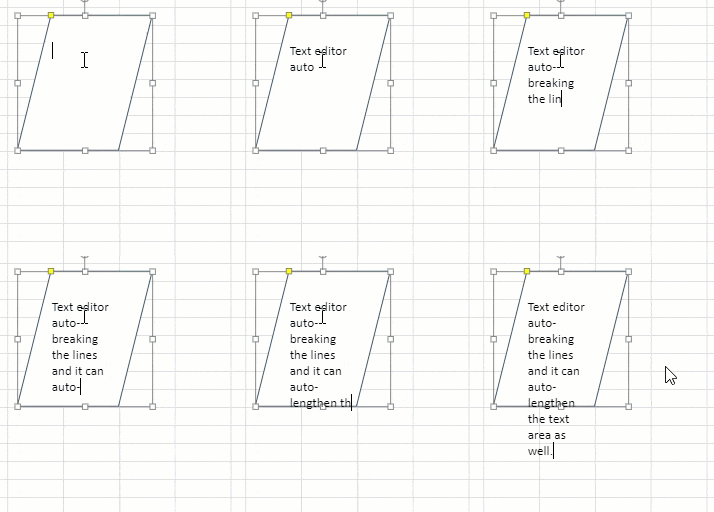
The text editor auto-breaks the lines and auto-lengthens the text area while submitting the input.
![](https://gcdocumentsitekrblob.blob.core.windows.net/document-site-files/images/8d606653-16a0-474d-b9dc-e2b4d01c2446/images/editor-area.gif)

All the text present inside a shape is selected when a shape is selected and the enter key is pressed. The 'Esc' key submits the shape text and finishes editing.
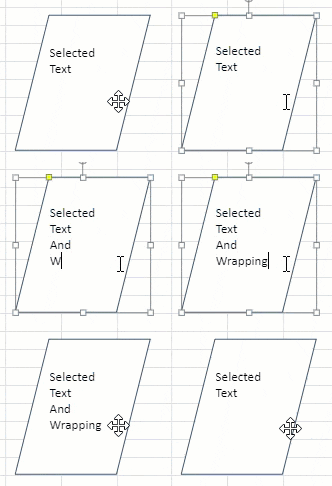
![](https://gcdocumentsitekrblob.blob.core.windows.net/document-site-files/images/8d606653-16a0-474d-b9dc-e2b4d01c2446/images/editor-enter-esc.gif)

IME input is also supported as shape text.
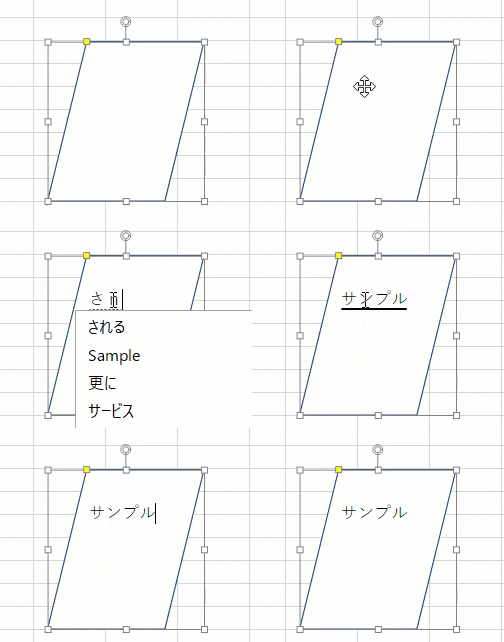
![](https://gcdocumentsitekrblob.blob.core.windows.net/document-site-files/images/8d606653-16a0-474d-b9dc-e2b4d01c2446/images/shapetext-ime.gif)

The shape text editor is enabled or disabled as explained below:

* If a sheet is protected and 'edit object' (option in Protect Sheet dialog) is enabled and the shape is locked, the text editor is enabled.
* If a sheet is protected and the 'edit object' (option in Protect Sheet dialog) is disabled and the shape is locked, the text editor is disabled.
* If a sheet is protected and the shape is unlocked, the text editor is enabled.