# Paste Options

## Content

SpreadJS provides multiple paste options in a spreadsheet. These options are available when you access the context menu by right-clicking an active cell or a selected range.
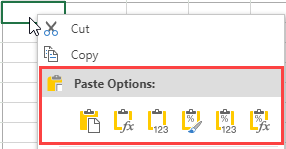
![pasteoptions.png](https://gcdocumentsitekrblob.blob.core.windows.net/document-site-files/images/8d606653-16a0-474d-b9dc-e2b4d01c2446/pasteoptions.099287.png)

| Paste Option | Description |
| ------------ | ----------- |
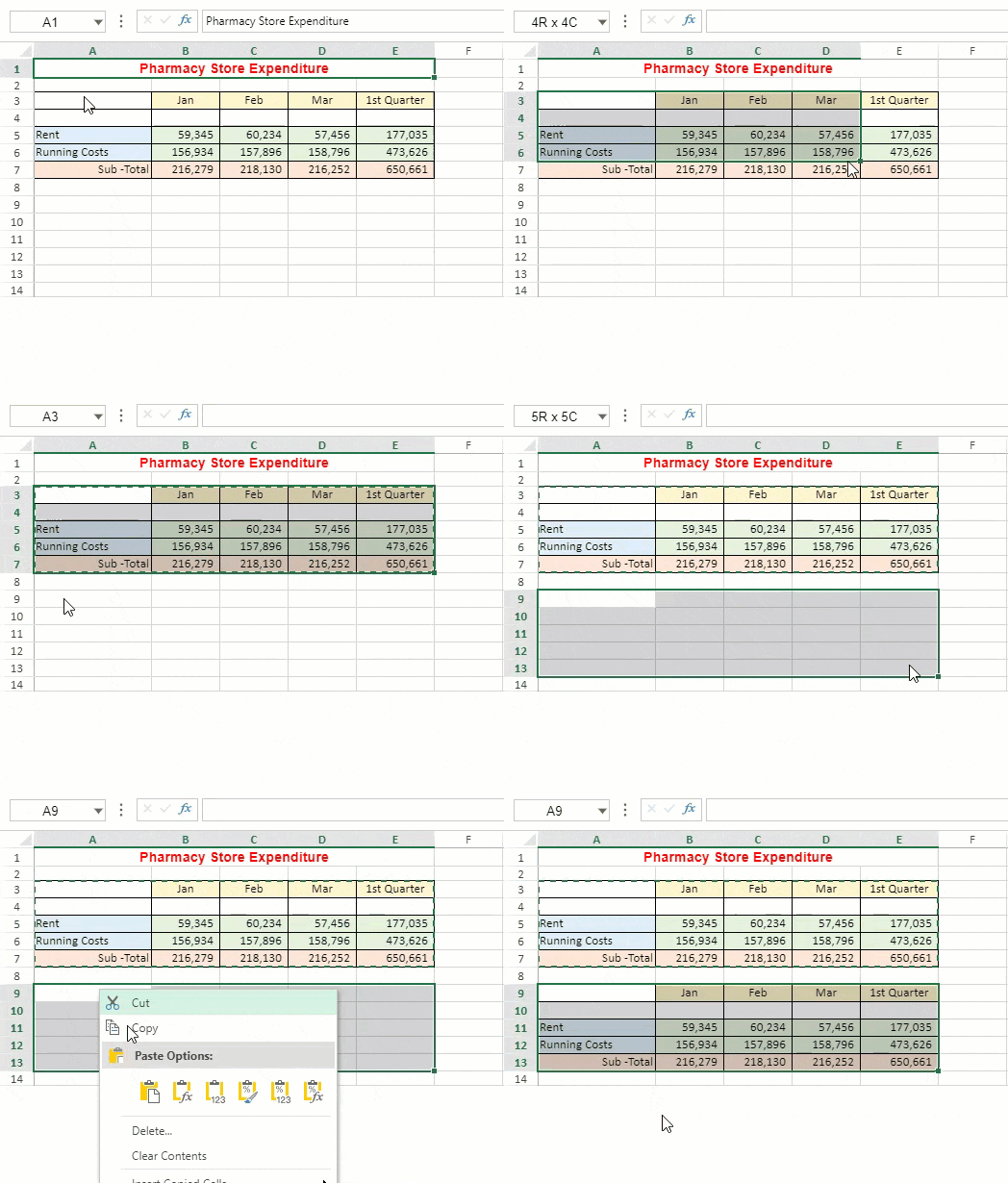
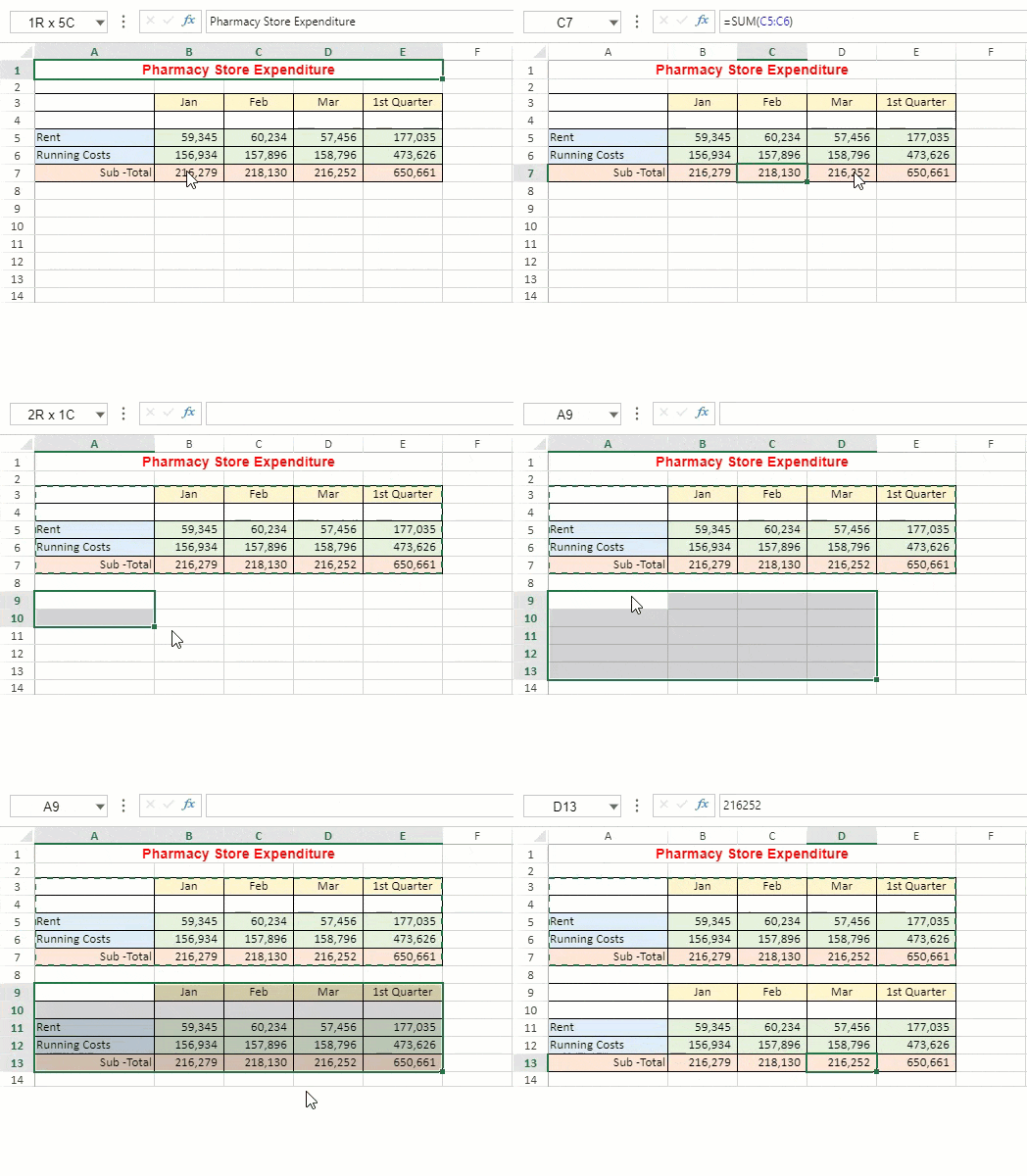
| Paste All<br>![paste-all.png](https://gcdocumentsitekrblob.blob.core.windows.net/document-site-files/images/8d606653-16a0-474d-b9dc-e2b4d01c2446/paste-all.ed2ae5.png) | Pastes all the cell contents in the target region.<br>![paste-all.gif](https://gcdocumentsitekrblob.blob.core.windows.net/document-site-files/images/8d606653-16a0-474d-b9dc-e2b4d01c2446/paste-all.372616.gif) |
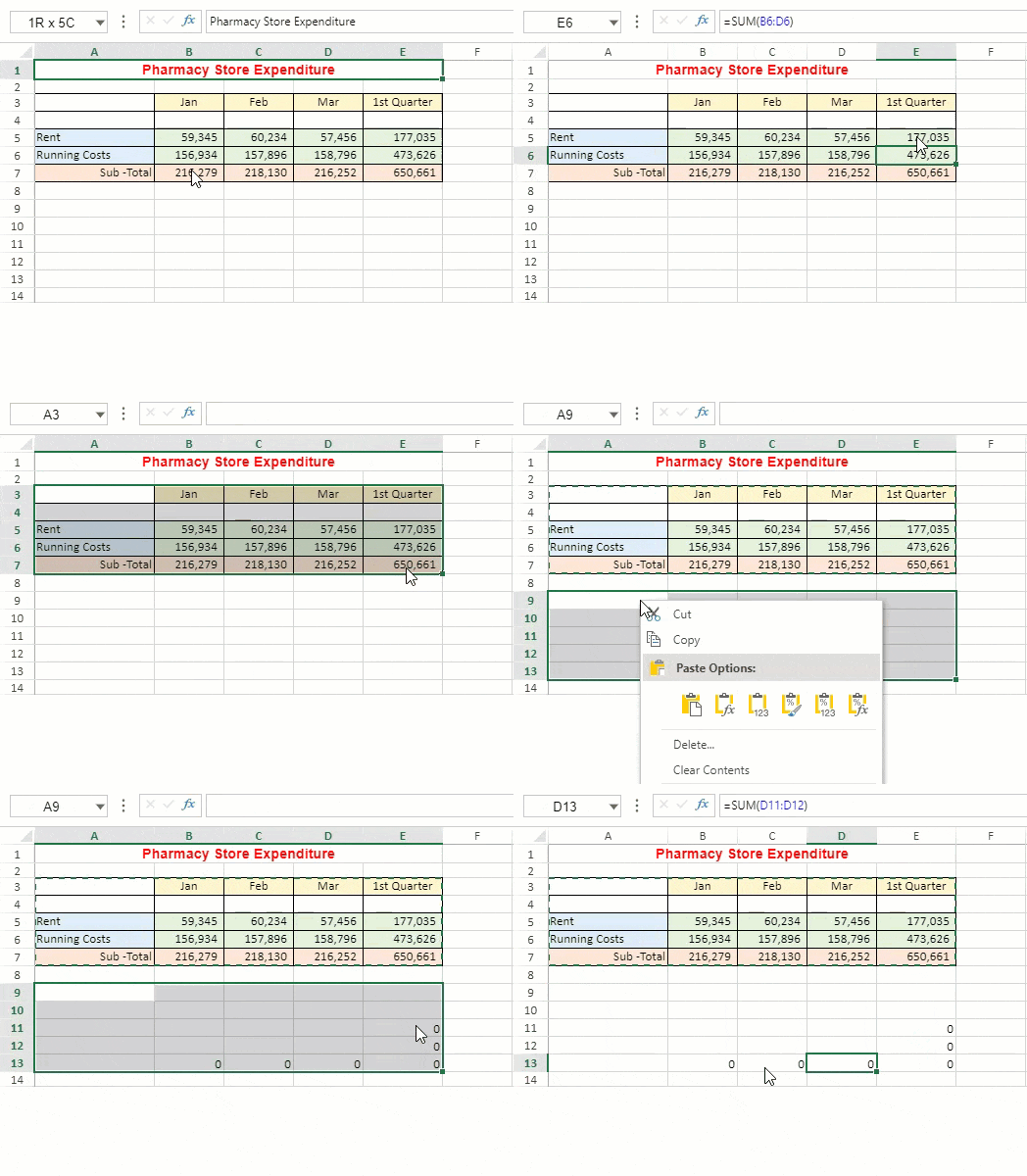
| Paste Formula<br>![paste-func.png](https://gcdocumentsitekrblob.blob.core.windows.net/document-site-files/images/8d606653-16a0-474d-b9dc-e2b4d01c2446/paste-func.54d0e8.png) | Pastes formula(s) without formatting in the target region.<br>![paste-func.gif](https://gcdocumentsitekrblob.blob.core.windows.net/document-site-files/images/8d606653-16a0-474d-b9dc-e2b4d01c2446/paste-func.eaec01.gif) |
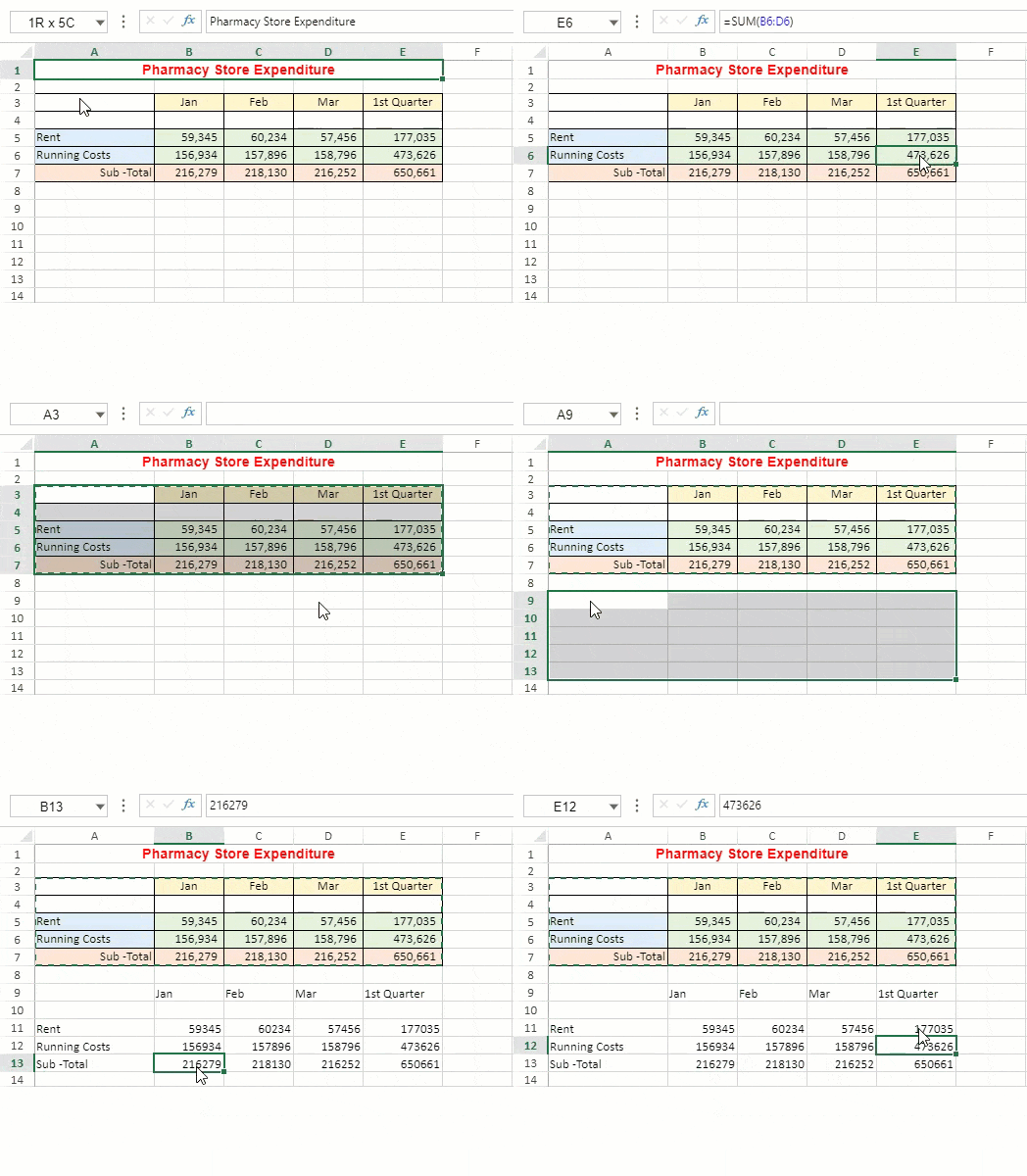
| Paste Value<br>![paste-value.png](https://gcdocumentsitekrblob.blob.core.windows.net/document-site-files/images/8d606653-16a0-474d-b9dc-e2b4d01c2446/paste-value.a0353f.png) | Pastes formula results without formatting in the target region.<br>![paste-value.gif](https://gcdocumentsitekrblob.blob.core.windows.net/document-site-files/images/8d606653-16a0-474d-b9dc-e2b4d01c2446/paste-value.88574a.gif) |
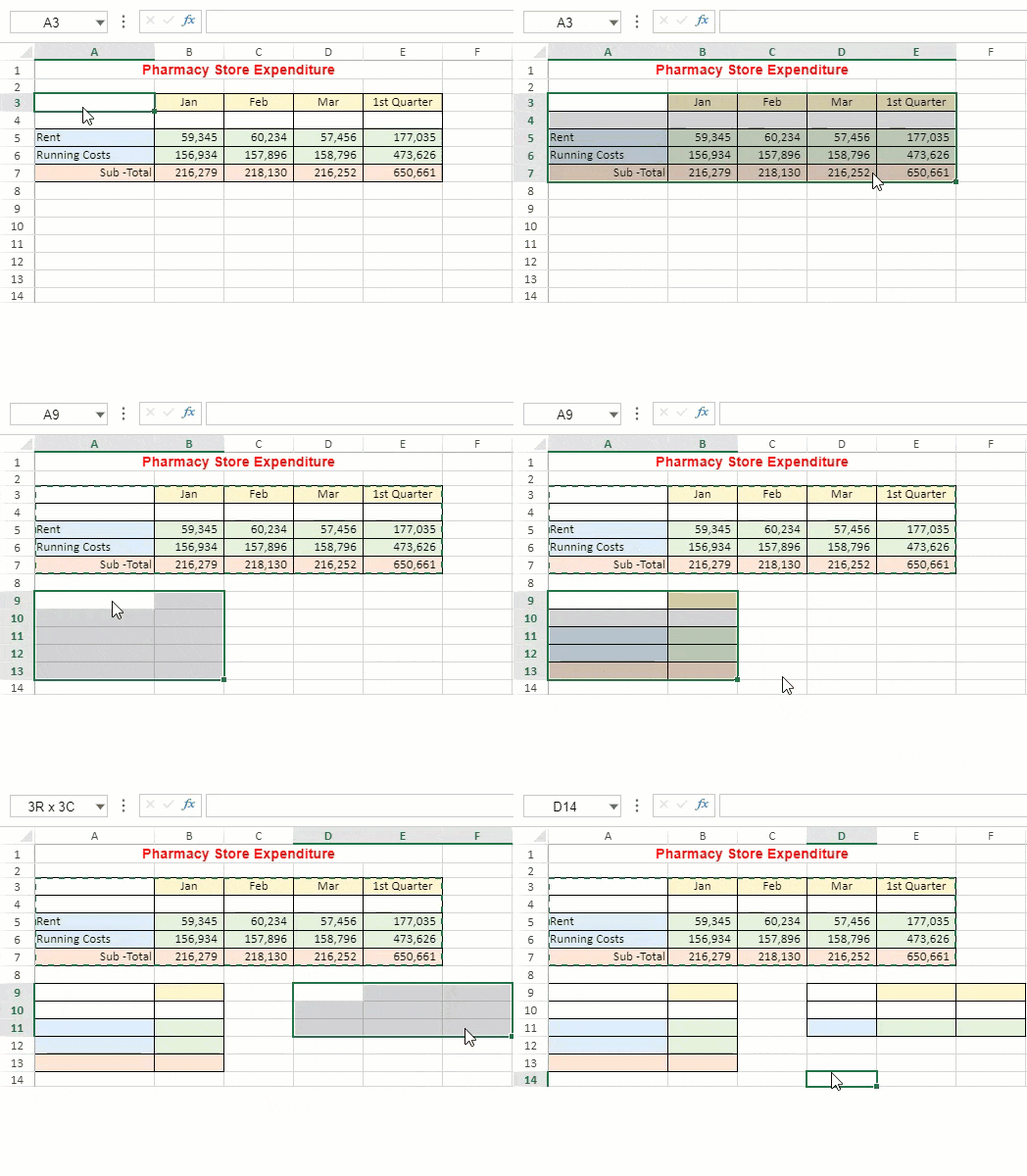
| Paste Formatting<br>![paste-format.png](https://gcdocumentsitekrblob.blob.core.windows.net/document-site-files/images/8d606653-16a0-474d-b9dc-e2b4d01c2446/paste-format.252216.png) | Pastes only the formatting in the target region.<br>The pasted format is adjusted according to the size of the target region while pasting styles, spans, and conditional formats.<br>Note: Paste Formatting does not support 'Paste Skip Invisible Range'.<br>![paste-format.gif](https://gcdocumentsitekrblob.blob.core.windows.net/document-site-files/images/8d606653-16a0-474d-b9dc-e2b4d01c2446/paste-format.fba153.gif) |
| Paste Values and Formatting<br>![image.png](https://gcdocumentsitekrblob.blob.core.windows.net/document-site-files/images/8d606653-16a0-474d-b9dc-e2b4d01c2446/image.7889a9.png) | Pastes values and formatting in the target region.<br>![paste-format-value.gif](https://gcdocumentsitekrblob.blob.core.windows.net/document-site-files/images/8d606653-16a0-474d-b9dc-e2b4d01c2446/paste-format-value.59339f.gif) |
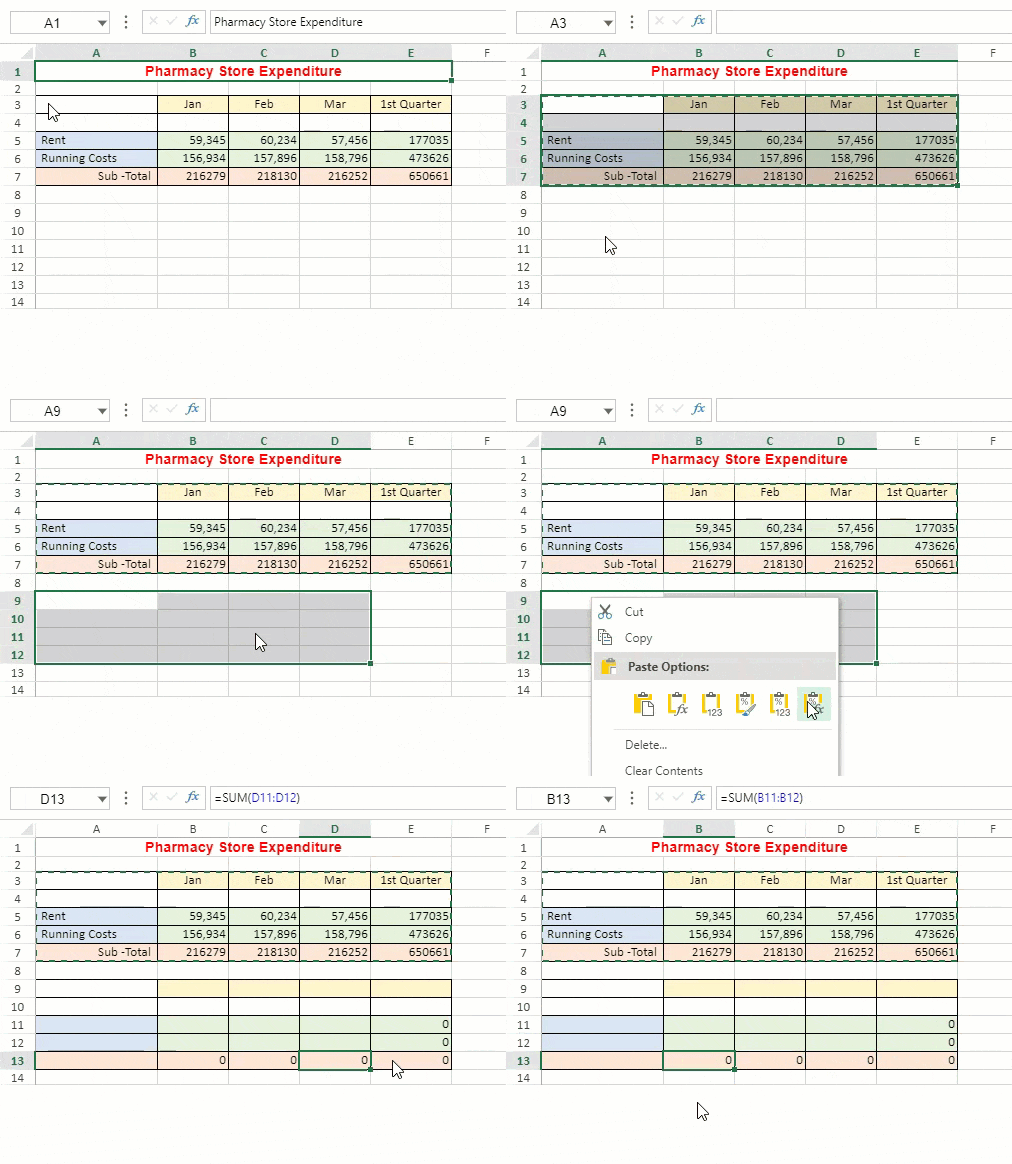
| Paste Formula and Formatting<br>![paste-format-func.png](https://gcdocumentsitekrblob.blob.core.windows.net/document-site-files/images/8d606653-16a0-474d-b9dc-e2b4d01c2446/paste-format-func.02437b.png) | Pastes formula(s) with formatting in the target region.<br>![paste-format-func.gif](https://gcdocumentsitekrblob.blob.core.windows.net/document-site-files/images/8d606653-16a0-474d-b9dc-e2b4d01c2446/paste-format-func.9ea81e.gif) |