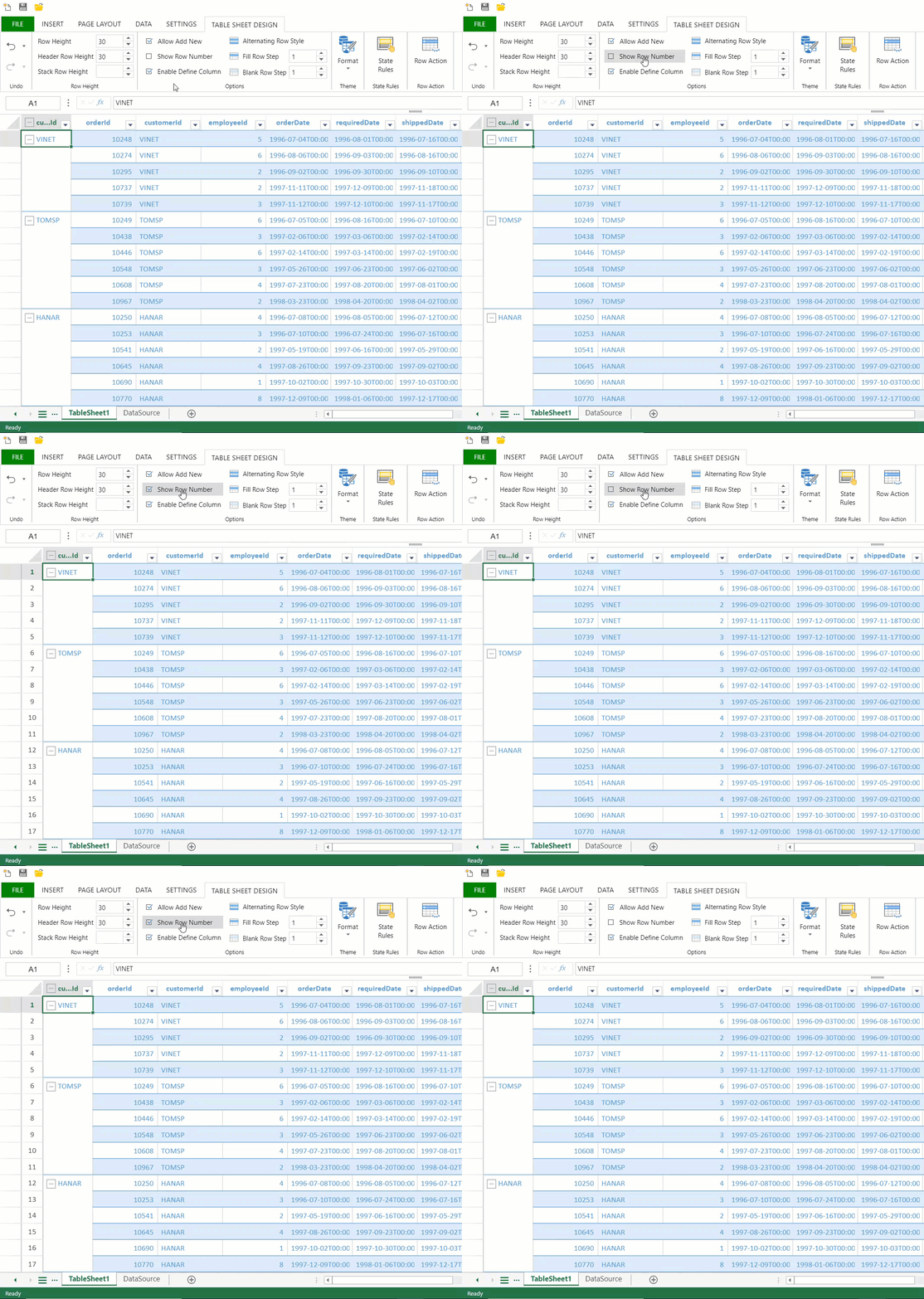
# Show Row Number
## Content
TableSheet displays row numbers in an independent row header, similar to the row numbers displayed in a Worksheet. By default, the row number header is hidden.
To display, set the `showRowNumber` property of the [ITableSheetOptions ](/spreadjs/api/v17/interfaces/GC.Spread.Sheets.TableSheet.ITableSheetOptions)interface to True.
```javascript
// Enable the row number header.
tableSheet.options.showRowNumber = true;
// Disable the row number header.
tableSheet.options.showRowNumber = false;
```
## Functionality and Behavior
The row number header works with the following TableSheet operations:
**Pinned Rows**
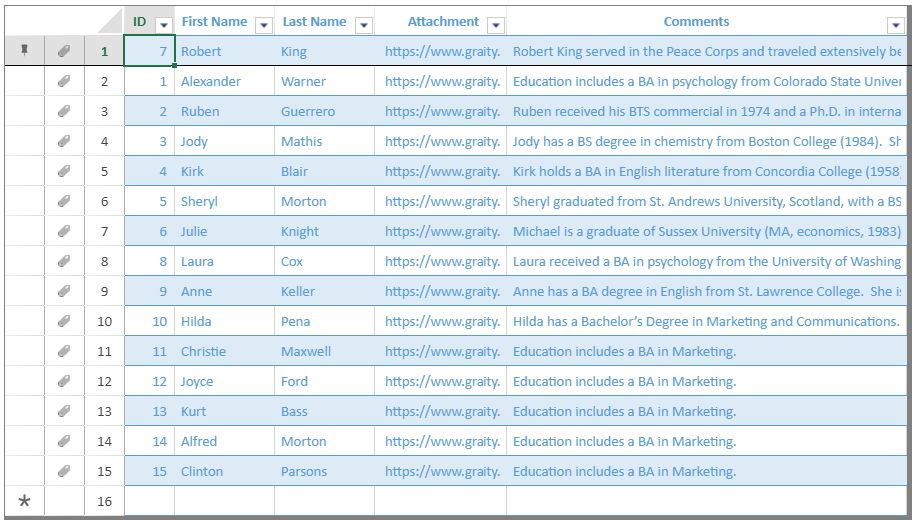
The row number header seamlessly integrates with [pinned rows](/spreadjs/docs/v17/features/tablesheet/tablesheet-operations/tablesheet-pin-unpin) and the attachment of customized row actions.
**Grouped Rows**
When using the [grouping](/spreadjs/docs/v17/features/tablesheet/tablesheet-operations/tablesheet-grouping) feature, the row number header behaves as follows:
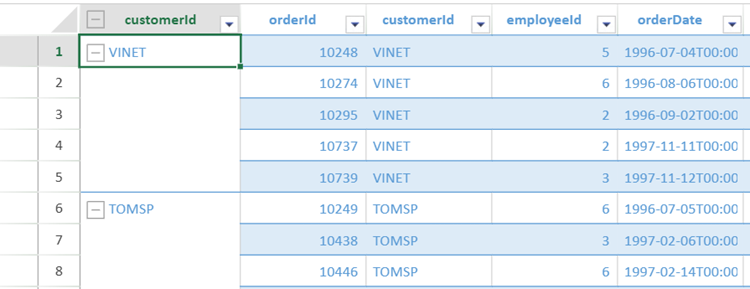
* Expanded Groups: Row numbers display normally for all rows within expanded groups.
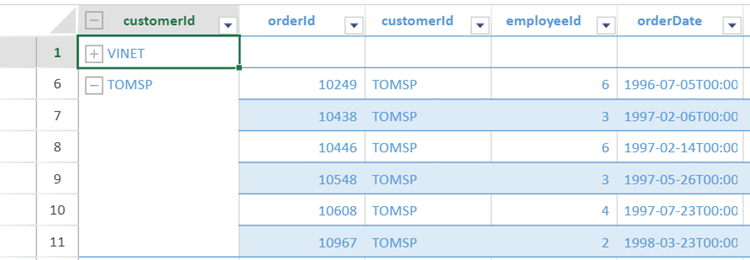
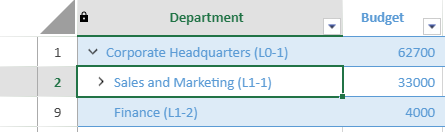
* Collapsed Groups: Row numbers are hidden for rows within collapsed groups.
**Filtered Rows**
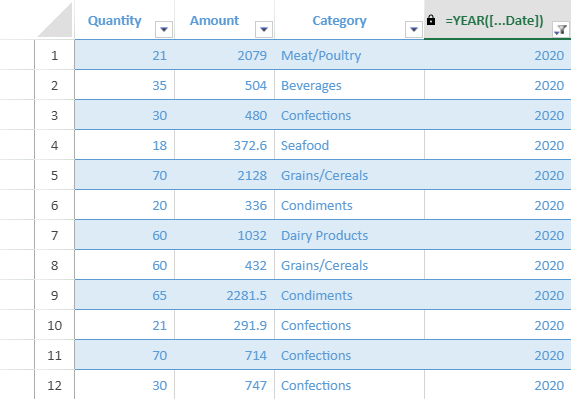
The row number header maintains continuous numbering when rows are [filtered out](/spreadjs/docs/v17/features/tablesheet/tablesheet-operations/tablesheet-sort-filter#filter).
The image below depicts an example of displaying row number header after filtering out the rows with 2019 year.
**Sorted Rows**
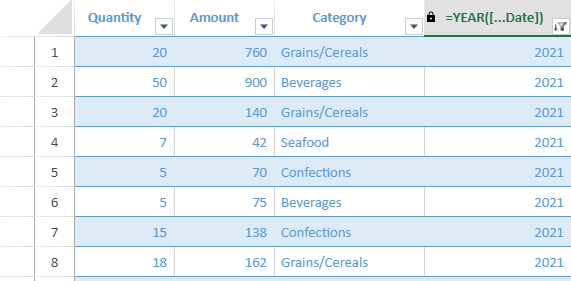
Similar to filtering, when rows are [sorted](/spreadjs/docs/v17/features/tablesheet/tablesheet-operations/tablesheet-sort-filter#sort), the row number header will display continuous numbers corresponding to the new order of rows.
**Hierarchical Rows**
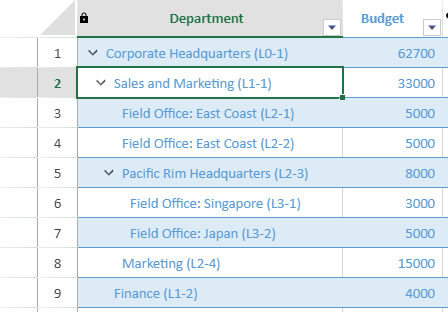
For [hierarchical data structures](/spreadjs/docs/v17/features/tablesheet/hierarchy-data), the row number header behaves as follows:
* Expanded Hierarchy Level: Row numbers are shown for all visible rows.
* Collapsed Hierarchy Levels: Row numbers are hidden for rows within collapsed levels.
## Using Designer
TableSheet also allows you to toggle the visibility of the row number header in the SpreadJS Designer. To enable/disable the `showRowNumber` property of the TableSheet, you need to check/uncheck the **Show Row Number** option available in the **TABLE SHEET DESIGN** tab.