# Cross Workbook Formula
## Content
SpreadJS provides support for formulas that calculate values by referring to and using data from different workbooks. These formulas are known as cross-workbook formulas and can be used through the following syntax:
`'filePath[workbookName]sheetName'!CellOrRangeAddress`
For example: “=[Calc.xlsx]Sheet1!A1”, “=[Calc.xlsx]Sheet1!A1:B3”
> **Note:** The cross-workbook reference does not support dynamic array spill or the INDIRECT function.
## Update Reference
You can set or update the data of external sources with the workbook JSON. The [updateExternalReference](/spreadjs/api/v17/classes/GC.Spread.Sheets.Workbook#updateExternalReference) method accepts the following parameters.
| Parameter | Description |
| --------- | ----------- |
| linkName | Indicates the file name of the external source; mostly ends with ".xlsx". |
| data | Indicates the JSON data of the external source.
It can be `spread.toJSON()` or the data can be fetched by `data[sheetName][rowIndex][colIndex]`. |
| filePath | Indicates the file path or the link of the file.
The value of this parameter can be null if no duplicate linkNames are available. |
| isMergeUpdate | Indicates whether to update by merging.
Note that if this parameter is set to false, the entire external sheet's data will be overwritten. |
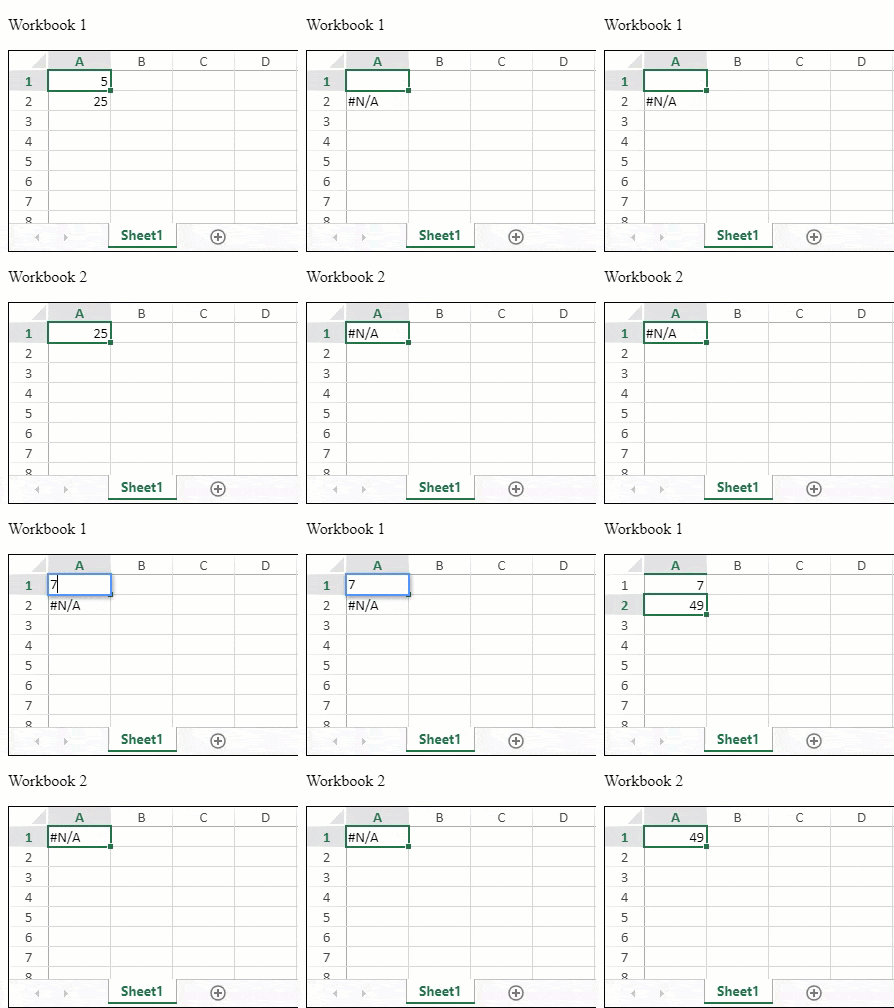
The following GIF illustrates how SpreadJS updates the external references set in "Workbook 1" and “Workbook 2” when the A1 cell is updated in “Workbook 1”.
```JavaScript
var spread1 = new GC.Spread.Sheets.Workbook(document.getElementById('ss1'), { sheetCount: 1 });
var spread2 = new GC.Spread.Sheets.Workbook(document.getElementById('ss2'), { sheetCount: 1 });
// Set value in cell A1 of Spread1
spread1.sheets[0].setValue(0, 0, 5);
var spread1Task;
function updateSpread1() {
if (!spread1Task) {
spread1Task = setTimeout(() => {
spread1.updateExternalReference("calc.xlsx", spread2.toJSON());
spread1Task = null;
})
}
}
var spread2Task;
function updateSpread2() {
if (!spread2Task) {
spread2Task = setTimeout(() => {
spread2.updateExternalReference("result.xlsx", spread1.toJSON());
spread2Task = null;
})
}
}
spread1.bind(GC.Spread.Sheets.Events.ValueChanged, updateSpread2)
spread1.bind(GC.Spread.Sheets.Events.RangeChanged, updateSpread2)
spread2.bind(GC.Spread.Sheets.Events.ValueChanged, updateSpread1)
spread2.bind(GC.Spread.Sheets.Events.RangeChanged, updateSpread1)
// Sample
spread1.updateExternalReference("calc.xlsx", spread2.toJSON());
spread2.updateExternalReference("result.xlsx", spread1.toJSON());
spread1.sheets[0].setFormula(1, 0, "='[calc.xlsx]Sheet1'!A1");
spread2.sheets[0].setFormula(0, 0, "='[result.xlsx]Sheet1'!A1^2");
```
Additionally, the data of external sources can also be updated partially by setting the `isMergeUpdate` parameter to true. Here is an example of setting a cross-workbook formula and updating partial of the external source.
```javascript
var spread = new GC.Spread.Sheets.Workbook(document.getElementById('ss'), { sheetCount: 1 });
spread.getActiveSheet().setFormula(0, 0, "=SUM('D:\\[calc.xlsx]Sheet1'!A1:B2");
// spread cell A1 value is #REF!
spread.updateExternalReference("calc.xlsx", { "Sheet1": [[1, 2], [1, 3]] });
// spread cell A1 value is 7
spread.updateExternalReference("calc.xlsx", { "Sheet1": [[], [11, 13]] }, "D:\\" /* or null*/, true);
// spread cell A1 value is 27, the external data is {"Sheet1":[[1, 2],[11, 13]]}
spread.updateExternalReference("calc.xlsx", { "Sheet1": [[], [1, 13]] }, null /* or "D:\\" */);
// spread cell A1 value is 14, the external data is {"Sheet1":[[null, null],[1, 13]]}
```
## Fetch Reference
You can fetch the cross-workbook reference list of the current workbook. The [getExternalReferences](/spreadjs/api/v17/classes/GC.Spread.Sheets.Workbook#getExternalReferences) method returns an array of objects containing the file name and the file path of the cross-workbook reference.
The following code sample shows how to fetch a list of external references used in the current worksheet.
```JavaScript
var spread = new GC.Spread.Sheets.Workbook(document.getElementById("ss"), { sheetCount: 1 });
var sheet = spread.getActiveSheet();
sheet.setFormula(0, 0, "='[Jackson.xlsx]Sheet1'!A1");
sheet.setFormula(1, 0, "='[Petrosky]Sheet1'!A1");
console.log(spread.getExternalReferences());
// Output:
// Array(2)
// 0: { name: 'Jackson.xlsx', filePath: '' }
// 1: { name: 'Petrosky', filePath: '' }
```
## Using SpreadJS Designer
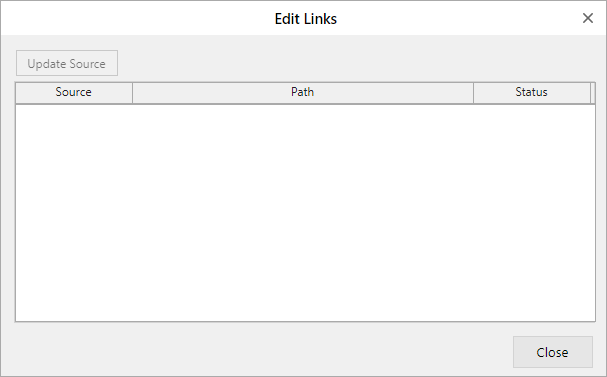
The SpreadJS Designer helps to update the cross-workbook values in a worksheet through the **Edit Links** option in the **DATA** \> **Queries & Connections** group.

It opens the following dialog window where you can update sources.