# 컨텍스트 메뉴

## Content

SpreadJS 디자이너 컴포넌트 인터페이스의 다양한 영역에서 마우스 오른쪽 버튼을 클릭하면 추가 메뉴를 표시할 수 있습니다:

|  |  |
| --- | --- |
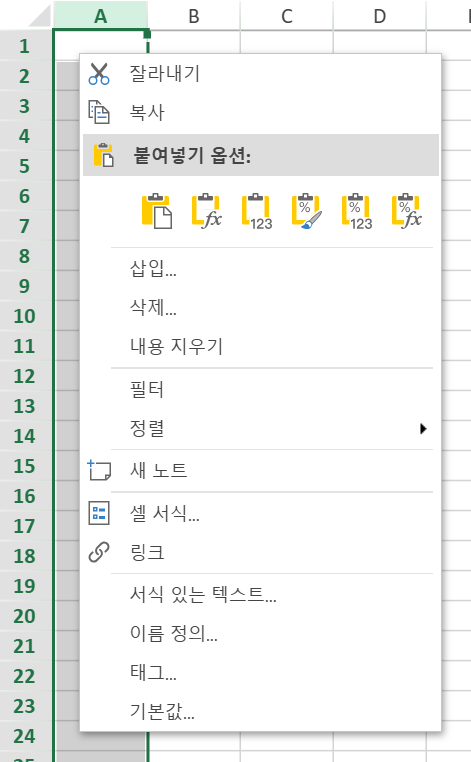
| 셀에 대한 컨텍스트 메뉴 | ![image](https://gcdocumentsitekrblob.blob.core.windows.net/document-site-files/images/216c2e7e-5246-4c37-8843-3854aa344a6a/image.2a4ab4.png?width=291) |
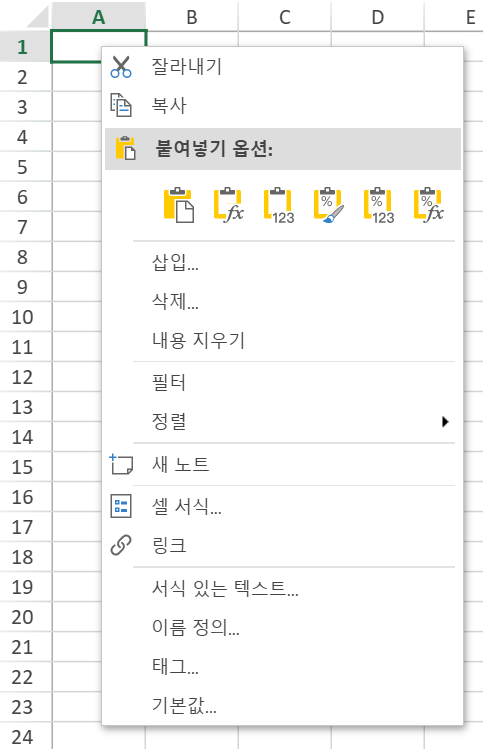
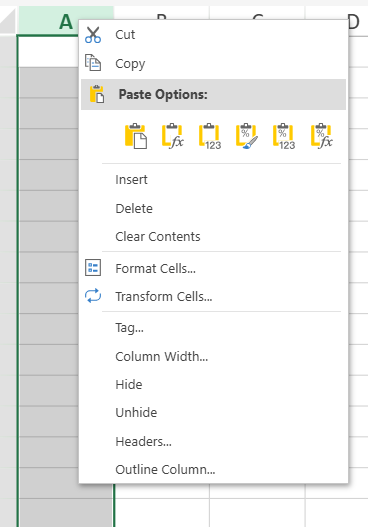
| 열에 대한 컨텍스트 메뉴 | ![image](https://gcdocumentsitekrblob.blob.core.windows.net/document-site-files/images/216c2e7e-5246-4c37-8843-3854aa344a6a/image.7adb39.png?width=291) |
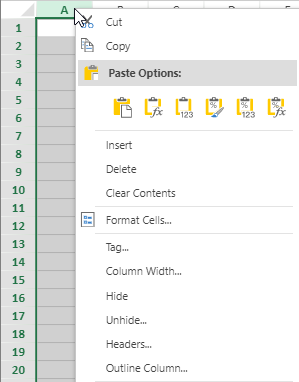
| 열 머리글에 대한 컨텍스트 메뉴 | 워크시트:<br>![image.765204.png](https://gcdocumentsitekrblob.blob.core.windows.net/document-site-files/images/216c2e7e-5246-4c37-8843-3854aa344a6a/image.765204.3d2bb0.png)<br>기타:<br>![designercolumnheader.png](https://gcdocumentsitekrblob.blob.core.windows.net/document-site-files/images/216c2e7e-5246-4c37-8843-3854aa344a6a/designercolumnheader.18ebf6.png) |
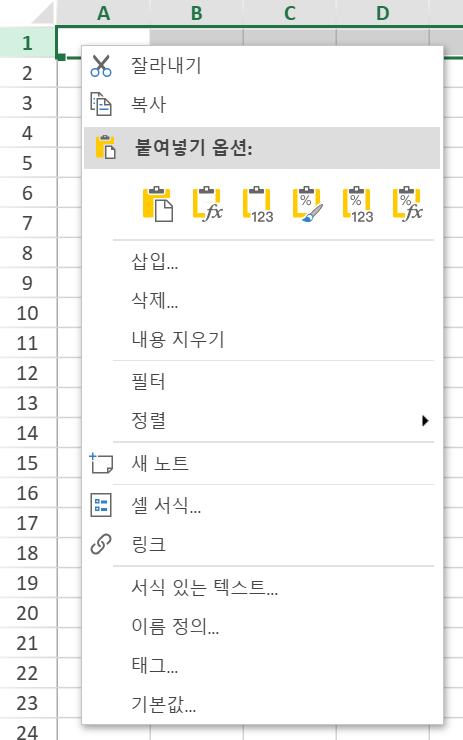
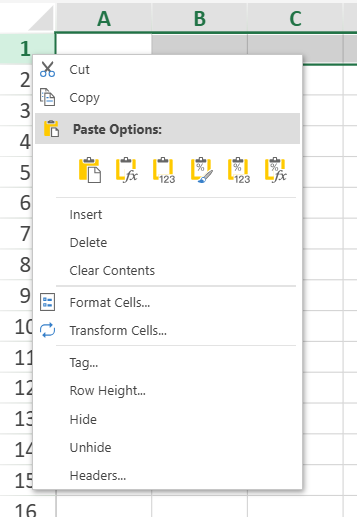
| 행에 대한 컨텍스트 메뉴 | ![image](https://gcdocumentsitekrblob.blob.core.windows.net/document-site-files/images/216c2e7e-5246-4c37-8843-3854aa344a6a/image.40a117.png?width=291) |
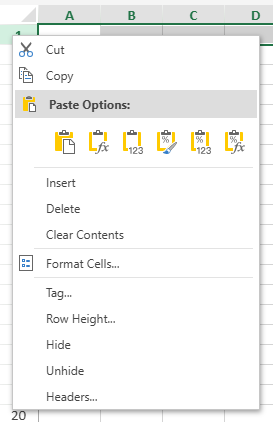
| 행 머리글에 대한 컨텍스트 메뉴 | 워크시트:<br>![image.aef10a.png](https://gcdocumentsitekrblob.blob.core.windows.net/document-site-files/images/216c2e7e-5246-4c37-8843-3854aa344a6a/image.aef10a.3f943e.png)<br>기타:<br>![image.946997.png](https://gcdocumentsitekrblob.blob.core.windows.net/document-site-files/images/216c2e7e-5246-4c37-8843-3854aa344a6a/image.946997.b6a812.png) |
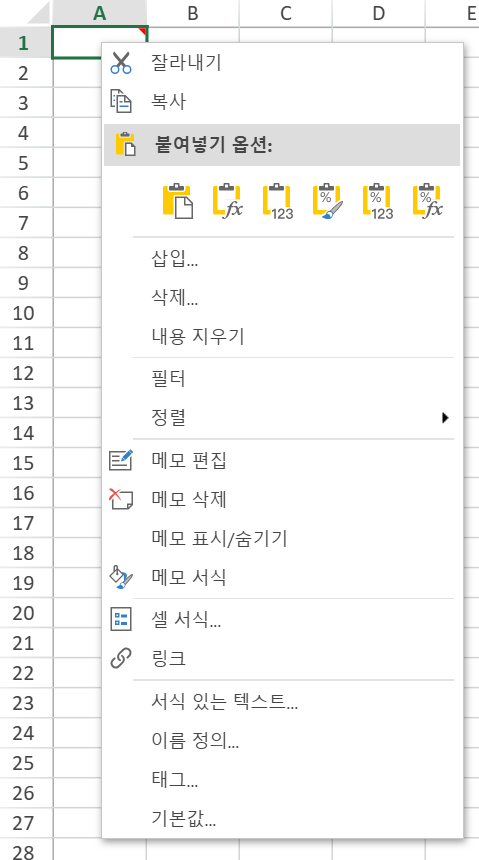
| 메모에 대한 컨텍스트 메뉴 | ![image](https://gcdocumentsitekrblob.blob.core.windows.net/document-site-files/images/216c2e7e-5246-4c37-8843-3854aa344a6a/image.b9bd5f.png?width=291) |

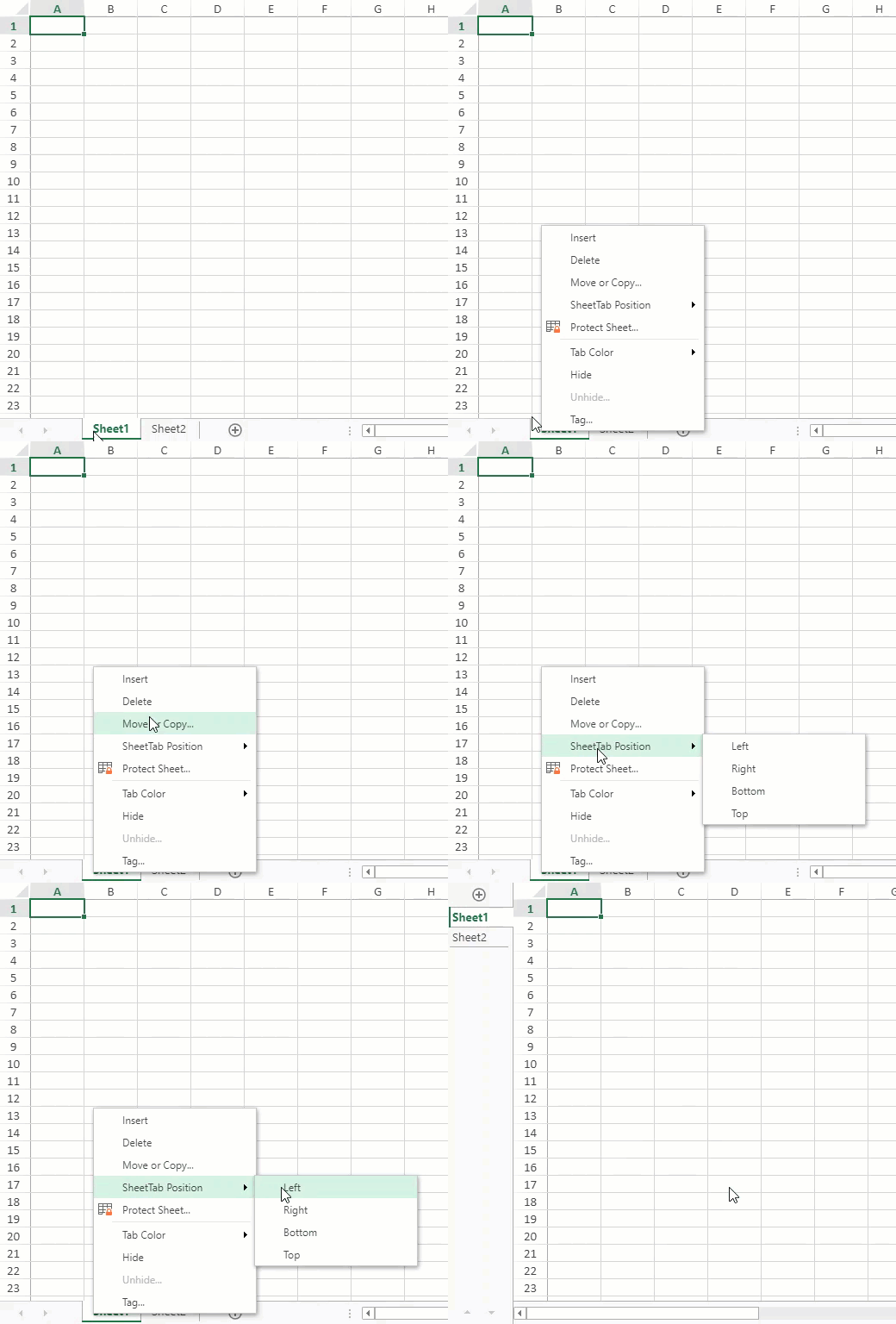
시트 이름을 마우스 오른쪽 버튼으로 클릭하면 시트 컨텍스트 메뉴에서 다양한 시트 관련 작업에 접근할 수 있습니다.

|  |  |
| --- | --- |
| 시트에 대한 컨텍스트 메뉴 | ![image](https://gcdocumentsitekrblob.blob.core.windows.net/document-site-files/images/216c2e7e-5246-4c37-8843-3854aa344a6a/image.10dc73.png?width=211) |
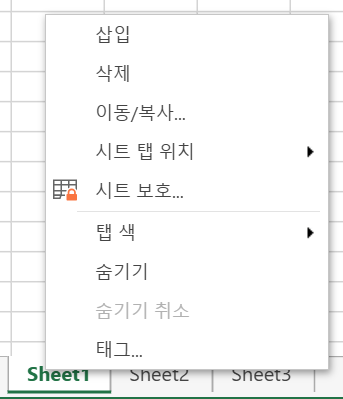
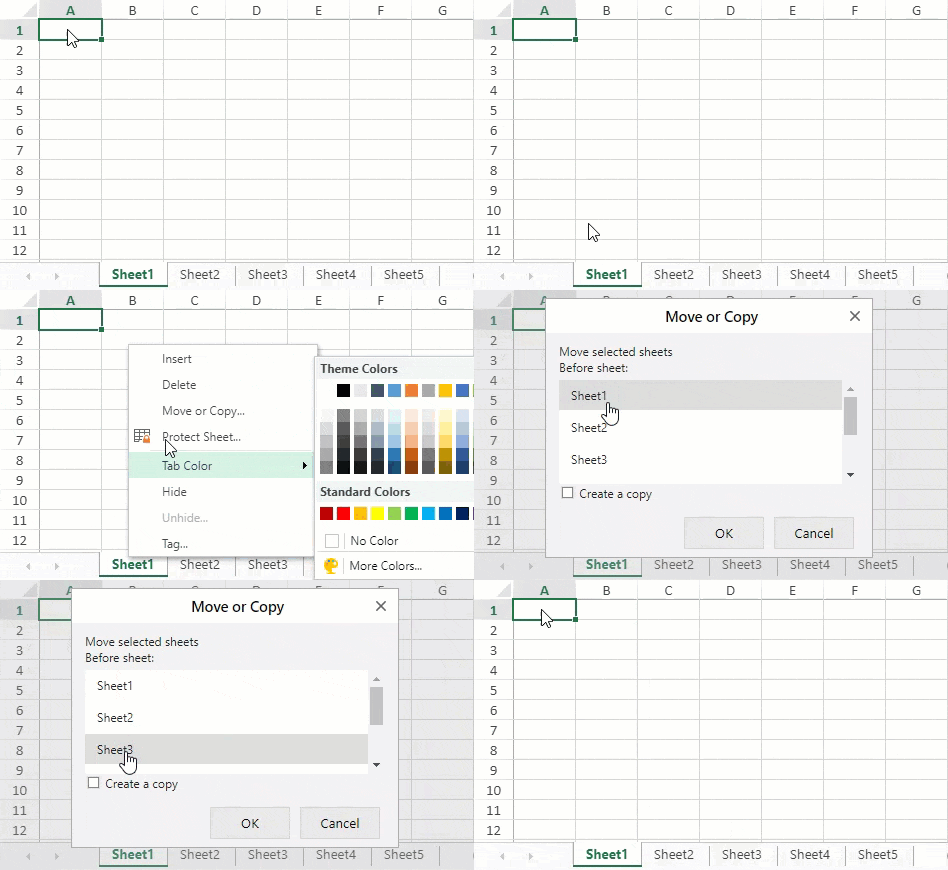
| 시트 컨텍스트 메뉴의 "시트 탭 위치" 작업 | ![](https://gcdocumentsitekrblob.blob.core.windows.net/document-site-files/images/8d606653-16a0-474d-b9dc-e2b4d01c2446/images/sheetposition.gif) |
| 시트 컨텍스트 메뉴의 "이동" 작업 | ![](https://gcdocumentsitekrblob.blob.core.windows.net/document-site-files/images/8d606653-16a0-474d-b9dc-e2b4d01c2446/images/move-action.gif) |
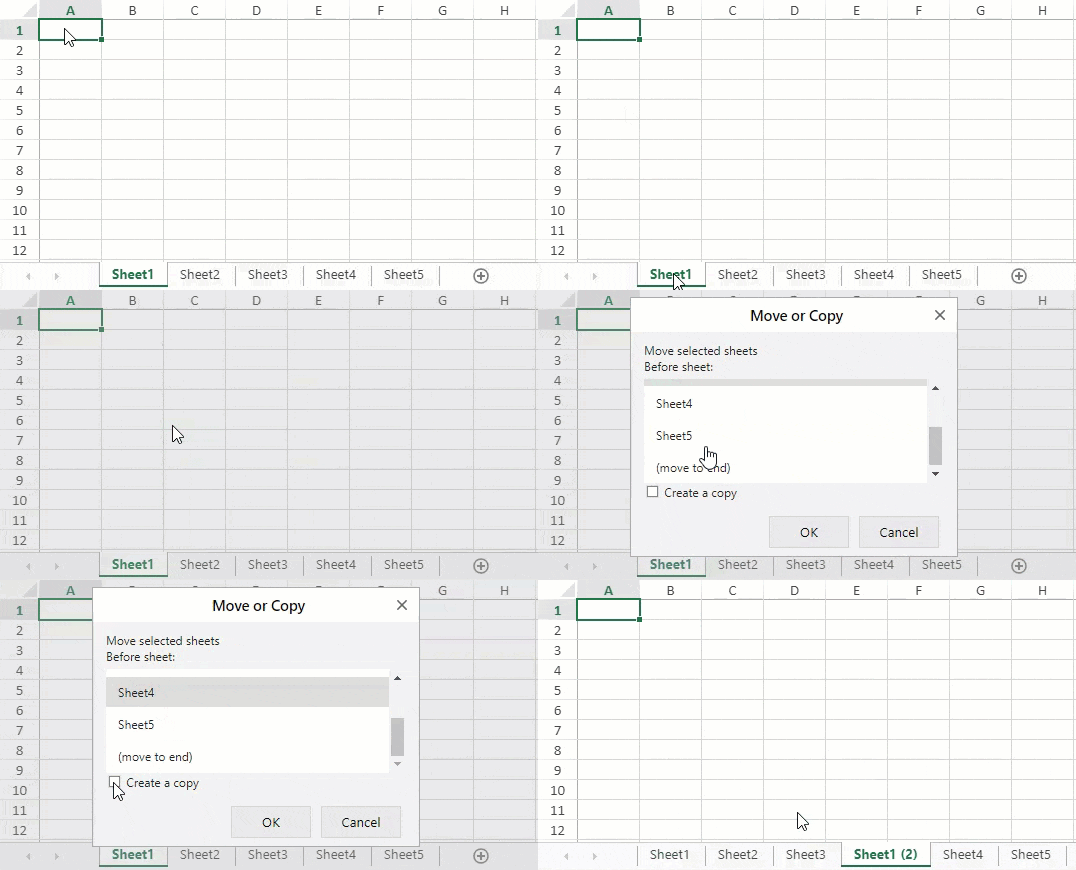
| 시트 컨텍스트 메뉴의 "복사" 작업 | ![](https://gcdocumentsitekrblob.blob.core.windows.net/document-site-files/images/8d606653-16a0-474d-b9dc-e2b4d01c2446/images/copy-action.gif) |
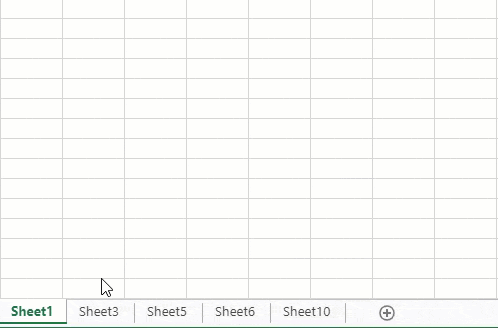
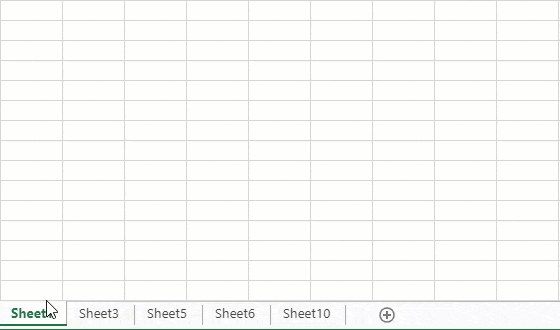
| 시트 컨텍스트 메뉴의 "숨기기 해제" 작업 | 다음 방법 중 하나를 사용하여 여러 시트를 한 번에 숨김 해제할 수 있습니다:<ul><li>Ctrl 키를 누른 상태에서 항목을 클릭하여 선택하세요.![image.png](https://gcdocumentsitekrblob.blob.core.windows.net/document-site-files/images/8d606653-16a0-474d-b9dc-e2b4d01c2446/image.d61542.png)</li><li>Shift 키를 누른 상태에서 클릭하거나 위/아래 화살표 키를 사용하여 범위를 선택하세요.![image.png](https://gcdocumentsitekrblob.blob.core.windows.net/document-site-files/images/8d606653-16a0-474d-b9dc-e2b4d01c2446/image.6e02ad.png)</li></ul> |