


- SpreadJS 개요
- 시작하기
- JavaScript 프레임워크
- 모범 사례
- 기능
- SpreadJS 템플릿 디자이너
- SpreadJS 디자이너 VSCode 플러그인
- 튜토리얼
-
SpreadJS 디자이너 컴포넌트
- 시작하기
- 빠른 시작
- 테마
- 디자이너 컴포넌트 인터페이스
- JavaScript 프레임워크
- 템플릿 기반 통합 문서 초기화
- 사용자 정의
-
디자이너 컴포넌트에서 작업하기
- 자동 합계 함수 (AutoSum Functions)
- 범위 템플릿 셀 설정하기
- 이름 상자
- 이동을 사용하여 셀 선택
- 찾기 및 바꾸기
- 글꼴 크기 편집
- 글꼴 편집
- 셀 테두리 구성
- 조건부 서식 규칙 관리
- 도형 선택 창
- 자동 개요
- 서식 복사
- 정렬 및 필터
- 표 슬라이서
- 데이터 원본
- 테이블 시트
- 간트 시트 디자이너
- 리포트 시트 디자이너
- 데이터 차트 디자이너
- 텍스트 나누기
- 중복된 항목 제거
- 피벗 테이블
- 분리 가능한 사이드 패널
- 명령 팔레트
- LAMBDA 함수로 셀 변환하기
- 스레드 메모 패널
- 가상 분석
- 함수 삽입 대화 상자
- 명명된 셀 템플릿
- 디자이너에서 그림 삽입
- 툴바 리본
- 인쇄
- API 문서
- SpreadJS 동시 작업 서버
- 터치 지원
- 수식 참조
- 가져오기 및 내보내기 참조
- 이벤트
- API 문서
- 릴리스 노트
프로젝트 탭
프로젝트 탭에는 선택한 프로젝트 및 캘린더 정보를 관리하는 옵션이 있습니다.

프로젝트 정보
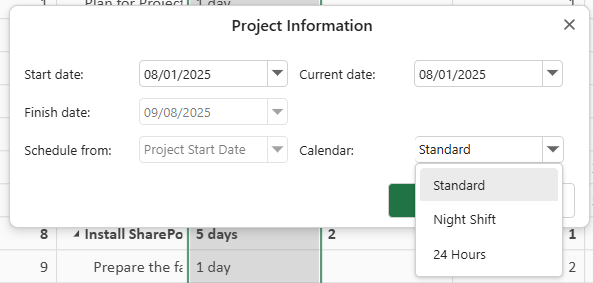
속성 그룹의 프로젝트 정보 버튼을 사용하면 프로젝트의 시작 날짜, 완료 날짜, 현재 날짜, 상태 날짜 및 캘린더 유형을 수정할 수 있습니다.
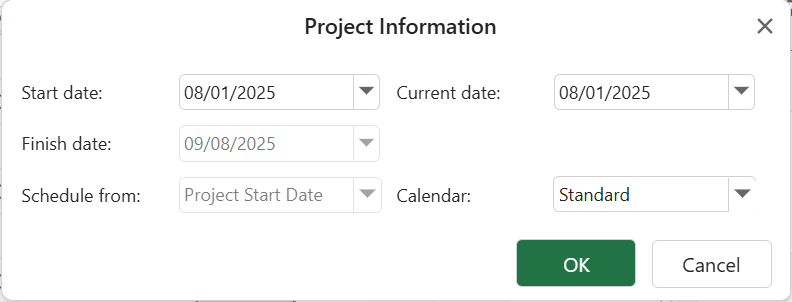
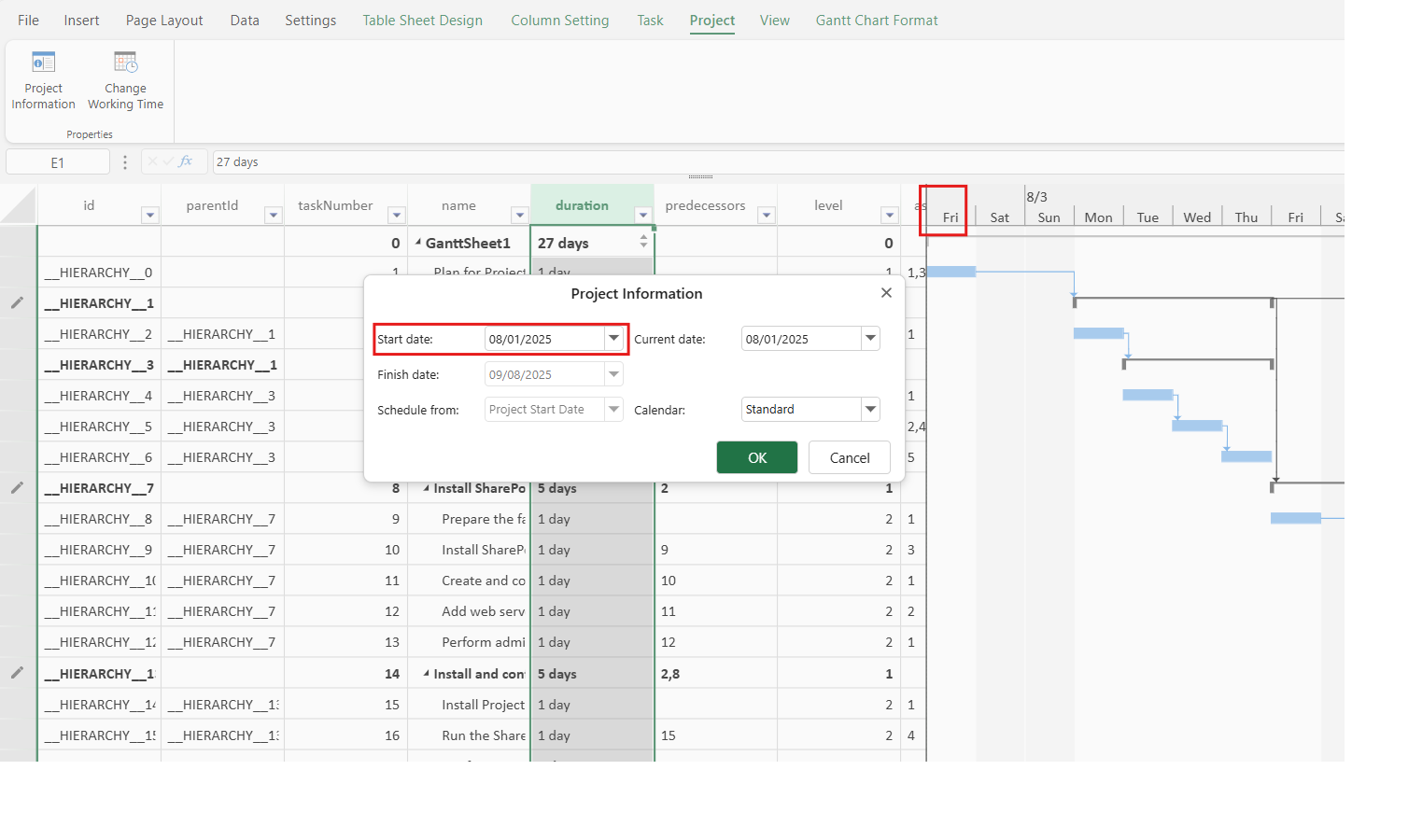
시작 날짜: 프로젝트의 시작 날짜를 나타내며 전체 프로젝트 타임라인 계산에 영향을 줍니다.
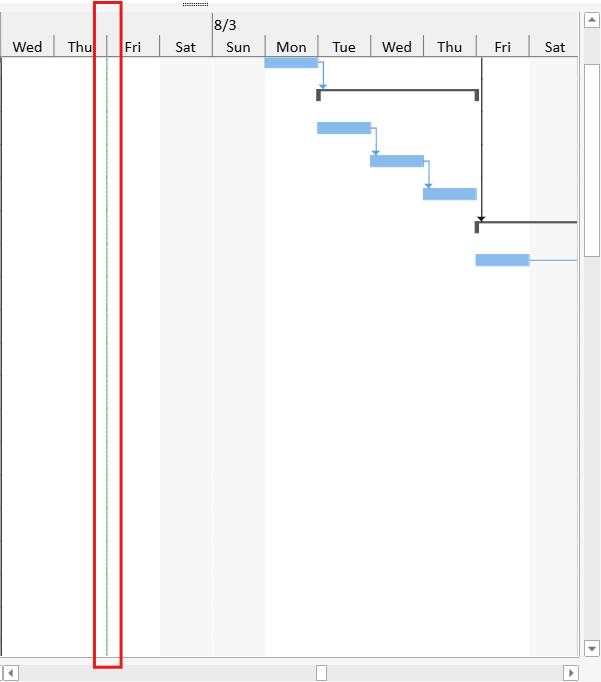
현재 날짜: 현재 날짜를 나타냅니다. 녹색 선은 간트 차트에서 현재 날짜를 가장 명확하게 보여주는 표시입니다. UI를 사용하여 현재 날짜를 변경하면 현재 날짜 표시선의 위치가 변경됩니다.
상태 날짜: 프로젝트의 상태 보고 날짜를 나타냅니다. 상태 날짜 눈금선은 이 날짜를 사용하여 간트 차트에서 보고 시점을 표시할 수 있습니다. 진행선에서도 상태 날짜를 기준 날짜로 사용할 수 있습니다.
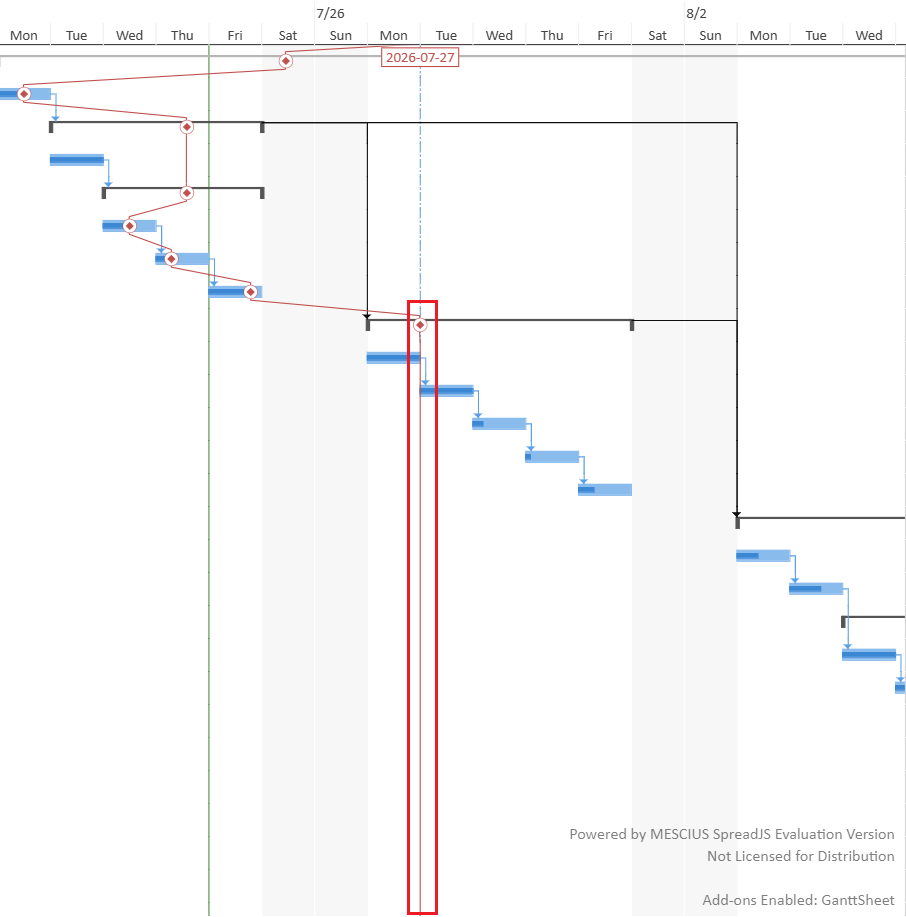
진행선이 프로젝트 상태 날짜를 사용하도록 설정되어 있지만 상태 날짜가 지정되지 않은 경우 현재 날짜가 유효한 기준 날짜로 사용됩니다.
캘린더: 프로젝트에 적용할 수 있는 작업 캘린더 형식을 나타냅니다. 표준, 야간 근무, 24시간과 같이 선택할 수 있는 세 가지 미리 정의된 작업 캘린더가 있습니다. 작업 시간 변경 버튼을 사용하여 캘린더 정보를 생성하거나 수정할 수도 있습니다.
작업 시간 변경
속성 그룹의 작업 시간 변경 버튼을 사용하면 다음 단계에 따라 새 캘린더를 생성하거나 선택한 캘린더 정보를 관리할 수 있습니다.
작업 시간 변경 대화 상자의 캘린더 드롭다운에서 수정할 캘린더 정보를 선택합니다.
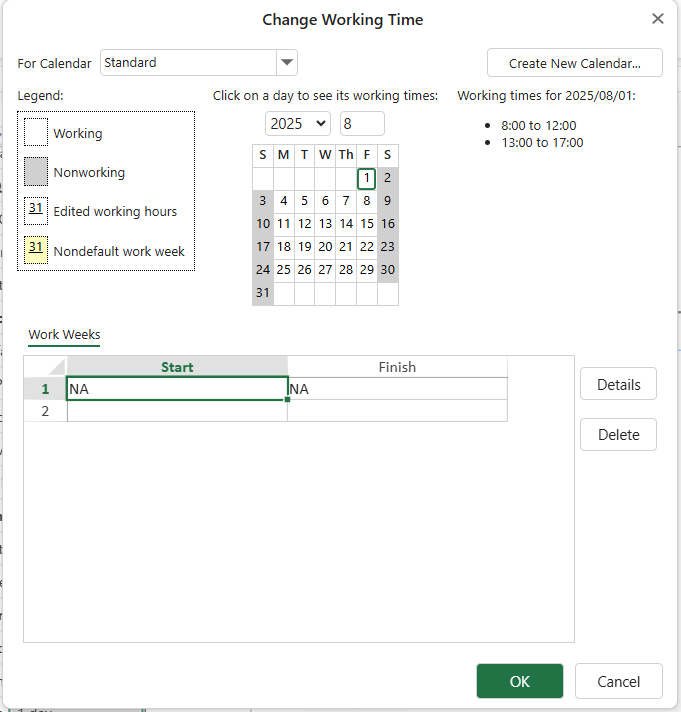
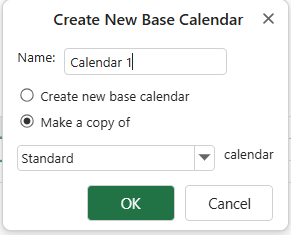
작업 시간 변경 대화 상자의 오른쪽 위에서 **새 캘린더 만들기...**를 선택하여 사용자 지정 기본 캘린더를 만들 수도 있습니다.
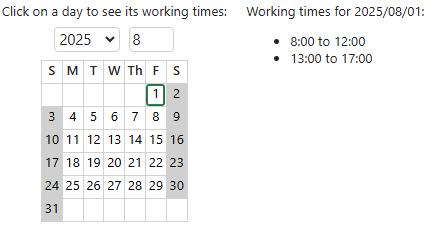
다른 날짜를 선택하여 해당 날짜의 특정 작업 시간을 확인합니다.
작업 주 섹션에서 기간을 선택하여 특별 작업 시간을 사용자 지정합니다.
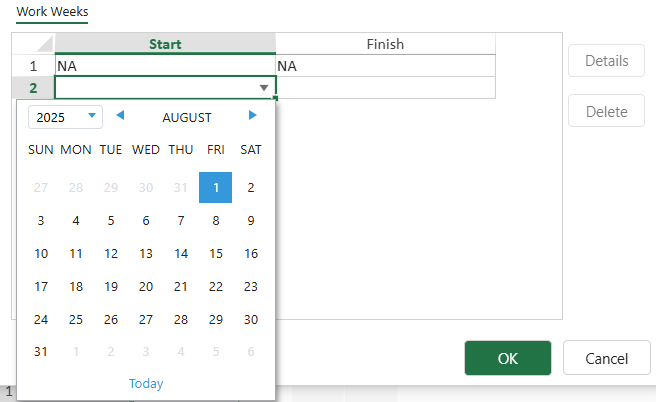
세부 정보 버튼을 클릭하여 작업 주 세부 정보 대화 상자를 열고 작업 주의 기본 작업 시간을 수정합니다.
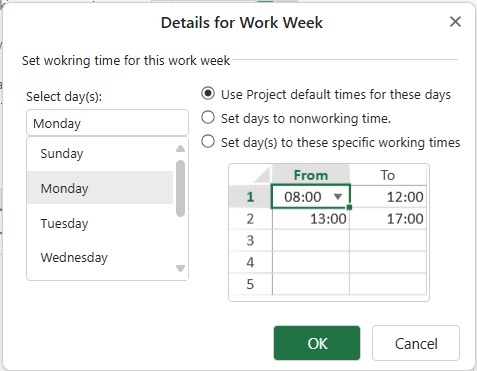
요일 선택 섹션에서 요일을 선택한 다음 원하는 옵션을 선택하여 선택 항목에 따라 작업 시간을 설정합니다.
캘린더 설정에 대한 자세한 내용은 캘린더 설정 페이지를 참조할 수도 있습니다.